Scenarios: Initial Program Load
Scenario overview
Speaker's script
You are now a Systems Programmer (sysprog) that is preparing for an upcoming Initial Programming Load (IPL) scheduled for one of your IBM Z systems. It’s been a while since you helped prepare for an IPL and you want to refamiliarize yourself with this process. Rather than spending time reading through the wide array of documentation available online, you leverage the conversational AI capabilities provided by IBM watsonx Assistant for Z to get accurate responses to your questions quickly, along with step-by-step guidance and links to documentation to learn more. When asking the assistant “How to perform an IPL on IBM Z?”, you realize there’s some information needed about your system; for example, the IPL volume and the IPL LOAD PARM. The conversational skills capabilities provided by the assistant allows you to issue operator commands on the system directly within the assistant itself, serving as a one-stop shop for retrieving details required for the IPL process to go smoothly and increasing efficiency.
Responses from the virtual assistant are likely to change
Responses generated by IBM watsonx Assistant for Z are likely to change over time. The responses you see when you run the queries in this section may differ from the screen images captured in the IBM watsonx Assistant for Z for Technical Sales Level 3 Demonstration Guide. Using the exact queries specified will help assure a successful demonstration. Also, as updates to the environment are made, some confirmation dialogs may no longer be displayed as illustrated in the Example outputs.
Prerequisite steps
None.
Prompts and Example outputs
Copy and paste the prompt
Use the copy icon ( ) to copy prompts from this demonstration guide and then paste the prompt using Ctrl+V, or right click and select
 Paste.
-
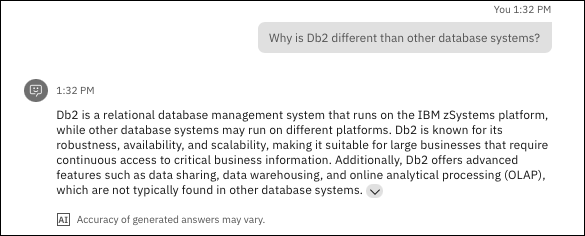
Ask the assistant what happens during an IPL.
Prompt:
Example output:
-
Ask the assistance how to perform an IPL.
Prompt:
Example output:

-
Ask the assistant what information is need to perform an IPL.
Prompt:
Example output:

-
Ask the assistant to run the command to retrieve IPL information.
Prompt:
Example output:

-
Change extra_vars.zos_operator_command_survey field to
D IPLINFO, wait approximately 10 seconds, and then click Apply.Input:

Example output:
Speaker's script
In the output you can see the last time the system was IPLed, the z/OS version, the IPL LOAD PARM (LOADK2 member in SYS0.IPLPARM), and the IPL boot volume (D25VS1).

-
Wait approximately 10 seconds and then click Apply.
Example output:

-
Review the output of the command.
Example output:
Speaker's script
In the output you can see the the returned information including the IPL LOAD PARM (LOADK2 member in SYS0.IPLPARM), the last time the system was IPLed, the z/OS version, and the IPL boot volume (D25VS1).

-
Ask the assistant what needs to be done after an IPL finishes.
Prompt:
What are the next steps for z/OS initialization after an IPL completes successfully? Provide a detailed answer.Example output:

Cleanup steps
None.