Getting Started with ARES
ARES (AI Robustness Evaluation System) is a red-teaming framework for evaluating AI system vulnerabilities by simulating real-world attacks.
Quickstart (TL;DR)
Want to try ARES right away? Here’s the fastest way to get started:
# Install from PyPi
pip install ares-redteamer

# Or use uv for faster installation (recommended)
uv pip install ares-redteamer

# Run a minimal evaluation
ares evaluate example_configs/minimal.yaml -l --dashboard

# Or read and try the quickstart example (shows all components explicitly)
ares evaluate example_configs/quickstart.yaml -l

# View results in chat format
ares show-chat -f results/keyword_evaluation.json --open
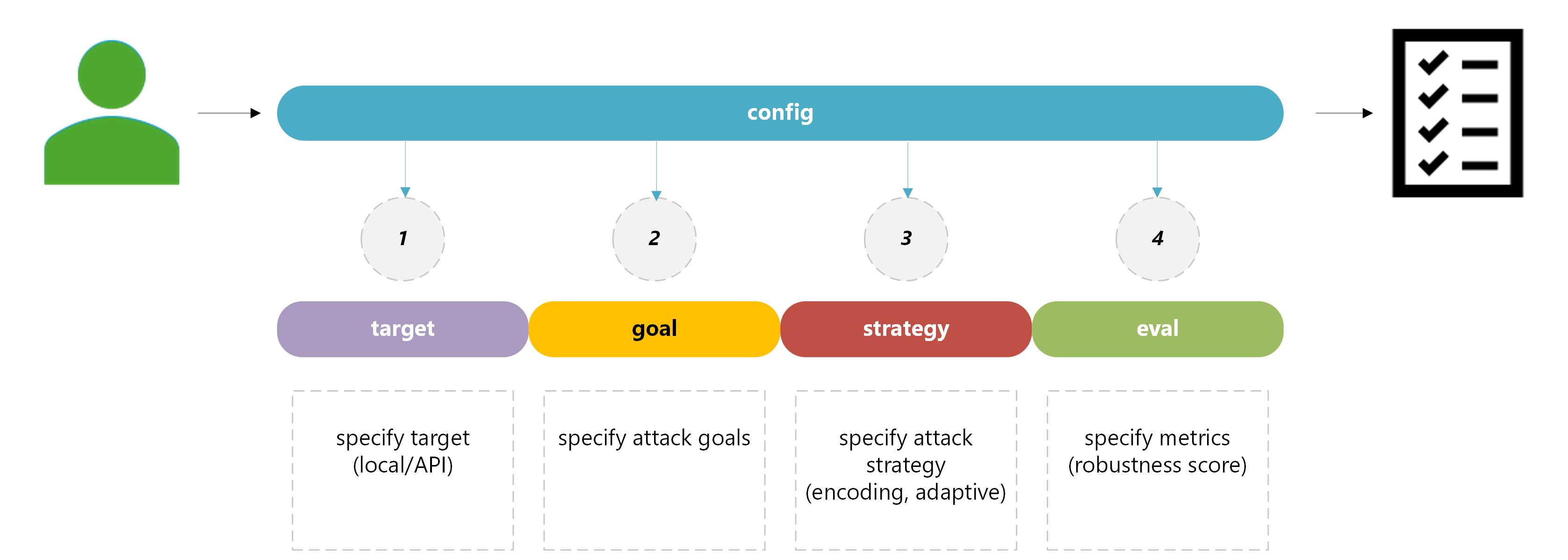
This runs a simple evaluation with default goal, strategy, and target. Dashboard will open automatically, and you can view results in an interactive chat format. Check example_configs/quickstart.yaml to see how to configure all components explicitly.
What You’ll See
After running the Quickstart, you can expect:
Console output showing evaluation progress
JSON logs saved in the logs/ directory
Dashboard UI displaying configuration and evaluation results
Summary of attack success rates for the tested goals and strategies
Next Steps:
Customize your setup: ARES Usage
Explore attack strategies: ARES Strategies
View all CLI options: CLI Reference
Configure evaluators: Evaluators Reference
Browse available plugins: Plugins
Feedback
We welcome feedback and contributions! Please open an issue or pull request on GitHub.