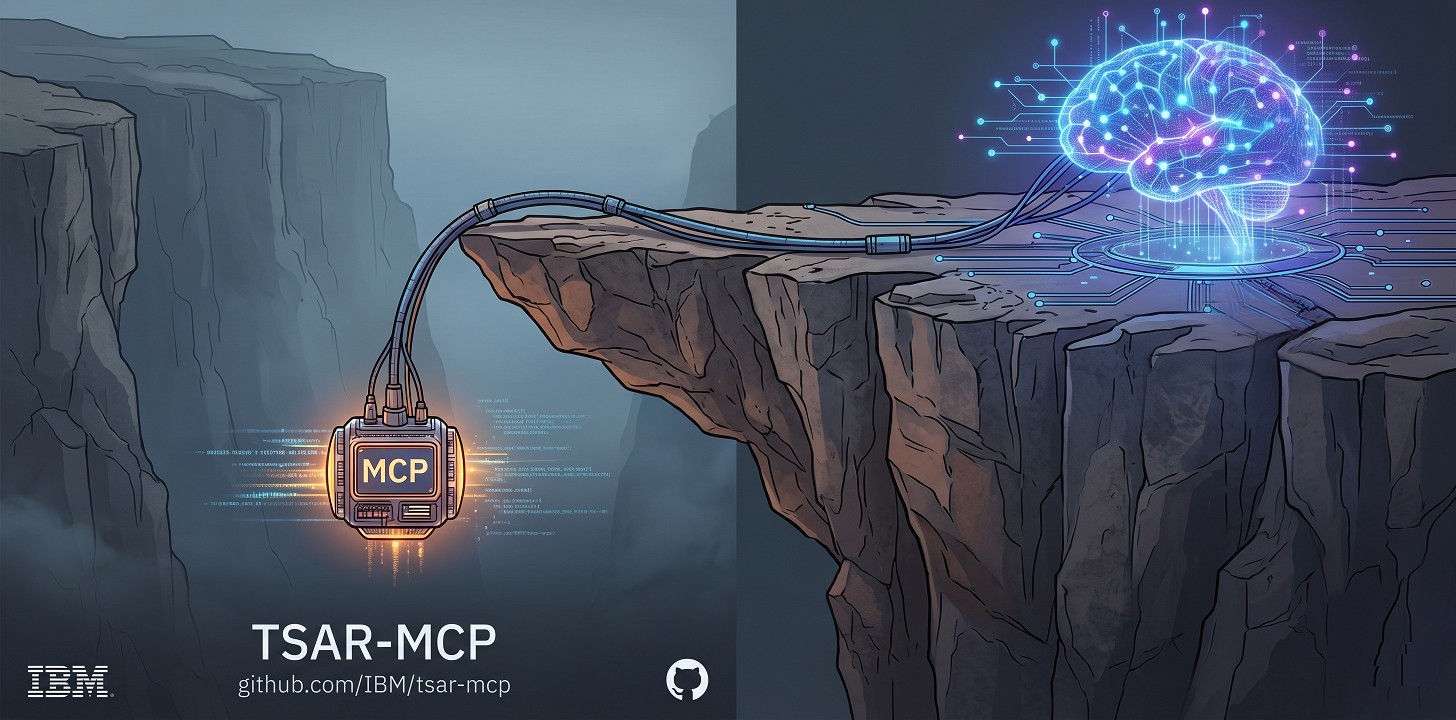
TSAR-MCP: Zero-Dependency C/C++ SDK for Edge AI
TSAR stands for “Tools Slightly Above the Runtime.” This SDK is a zero-dependency C/C++ framework for building Model Context Protocol (MCP) servers as native executables — without Python, Node.js, package managers, or background runtimes. The entire framework is a clean-room implementation — no third-party JSON parsers, no external runtime libraries.
While other C++ MCP SDKs focus on web-centric transports (HTTP, WebSockets, TCP), TSAR-MCP takes the opposite approach: pure stdio, paired with standard ssh for remote access. No open network ports. No TLS stack to manage. The OS security boundary is the security boundary.
That design makes it a practical fit for edge systems, legacy enterprise environments, air-gapped hosts, and any deployment where runtime bloat or exposed network ports are a liability.
Because the framework targets standard OS primitives rather than a heavy runtime, it builds and runs across a wide platform range — from modern Linux and Windows to enterprise IBM systems. The full MCP server suite has been built with IBM XL C/C++ (xlC) and verified running natively on AIX and IBM i (PASE), served to AI clients over nothing more than ssh.
Getting Started
💡 The “Aha!” Moment: Giving AI Hands
An MCP server gives an LLM a controlled way to act outside the chat window. Instead of only generating text, the model can call real tools: read a file, inspect a system, query a service, or trigger local logic.
That may sound complicated in native C or C++, but TSAR-MCP keeps the hard parts in the framework. The transport, JSON-RPC handling, parsing, and response shaping are already built in. You focus on the tool behavior.
Why C (well… C-style C++) and why is it easy?
Because the framework already handles the protocol engine, building a new MCP tool usually comes down to filling in a small set of native hooks inside one .cpp file. Modern LLMs are surprisingly effective at generating that glue code when you give them the aspect guide.
Build your own custom MCP Server in 4 steps:
- Get a compiler: Use
g++(available natively on Linux) or Visual Studio Community Edition (free on Windows). On AIX / IBM i (PASE), use IBM XL C/C++ (xlC). - Get Git: Download from git-scm.com or use your package manager (e.g.,
sudo apt install git). - Clone the repository: Pull the TSAR-MCP SDK to your local machine.
git clone https://github.com/IBM/tsar-mcp.git - Let the AI write the code: Open your favorite LLM (Claude, ChatGPT, Gemini), attach the
mcp/doc/MCPServer_AspectGuide.mdfile, and prompt it with what you want:“Please read this guide and write me a new MCP aspect to read a specified number of lines from any text file and return it to the client.”
The LLM will seamlessly read the architectural rules and generate the exact .cpp file you need. Drop it into the directory, run make, and your AI now has a brand new set of hands.
🔌 Wiring it to your AI Client
Once you have compiled your MCP server, the last step is to register it with an AI client such as Claude Desktop or VSCode. Because TSAR-MCP uses a stdio transport model, the same server can run locally, through an SSH tunnel, or behind a proxy without introducing a heavyweight middleware layer.
Read the MCPServer Wiring & Transport Guide to see how to configure your LLM for local, OpenSSH, or PuTTY/Plink connections.
Building the MCP SDK Manually
The core of this SDK is designed around filling in a handful of C functions (with C or C++). You build new AI capabilities by creating an aspect: a focused .cpp file that defines a tool’s name, parameters, and execution logic while plugging into the native MCP engine.
The framework handles the rest: JSON-RPC parsing, request dispatch, response shaping, prompt support, memory management, and process life-cycle.
To learn how to quickly scaffold, build, and test your own custom tools by hand, please read the MCPServer Aspect Guide.
Navigate to the mcp/ directory. The SDK uses an out-of-source build system, placing compiled binaries into the build/Release or build/Debug directories.
Linux (GNU Make):
cd mcp
make                 # Builds all aspects (Release mode)
make CFG=Debug       # Builds all aspects (Debug mode)
make helloWorld      # Builds only the helloWorld aspect
make cleanall        # Removes the entire build directory
Windows
cd mcp
nmake -f Makefile.nmake                 # Builds all aspects (Release mode)
nmake -f Makefile.nmake CFG=Debug       # Builds all aspects (Debug mode)
nmake -f Makefile.nmake helloWorld      # Builds only the helloWorld aspect
nmake -f Makefile.nmake cleanall        # Removes the entire build directory
AIX / IBM i (native make + IBM XL C/C++, 64-bit)
cd mcp
make -f Makefile.aix                    # Builds all aspects (Release mode)
make -f Makefile.aix CFG=Debug          # Builds all aspects (Debug mode)
make -f Makefile.aix helloWorld         # Builds only the helloWorld aspect
make -f Makefile.aix cleanall           # Removes the entire build directory
Core Architecture
TSAR-MCP is built around a simple native execution path: an MCP client sends JSON-RPC over stdio, the framework parses and validates it natively, dispatches the request into your aspect, and returns a well-formed response back to the client. There is no Python interpreter, no Node.js runtime, and no external protocol layer sitting between your tool logic and the operating system.
- Isolated JSON Transport: The MCP protocol stream is kept separate from ordinary program output, so aspects can safely link in noisy third-party libraries without corrupting client/server communication.
- Protocol Compatibility: Dual-lane transport supports both stateful and stateless MCP. The default is clamped to the stateful
2025-11-25specification while2026-07-28support is offered as a Release Candidate. Releasing the clamp via compilation flags activates the new protocol while automatic negotiation preserves full backward compatibility with older clients. - Native BNF Parsing Framework: The
JSONParserengine validates incoming JSON-RPC messages and tool payloads structurally before your aspect logic runs. - Single-File Aspect Model: New capabilities are typically added by implementing a small set of C or C++ hooks in one
.cppfile, while the framework handles handshake, dispatch, and response shaping. - Prompt polyfill: Natively offers prompts as tools for agentic and LLM invocation (initiate
listPromptsto wake LLM session awareness). - The
CommonCFoundation: A robust, legacy-hardened C runtime that handles memory management, strings, and core utility services without external library bloat.
Included Examples & Roadmap
This repository includes the core SDK framework alongside target-specific MCP server implementations and standalone utilities to demonstrate the extensibility of the architecture:
-
WordArt Generator (
wordArt): Demonstrates bi-directional LLM-code integration (MCP Sampling / MCP Multi-Round-Trip-Request). Rather than relying on native C string manipulation, this aspect dynamically prompts the client’s LLM (sampling/createMessage) to generate styled ASCII art—showcasing the simplicity by which TSAR-MCP bridges the absolute deterministic safety of a native C runtime with the dynamic cognitive reasoning of modern AI. -
TSAR-MCP Markdown Viewer (
MarkdownViewer.html): A self-contained, single-file HTML Markdown viewer. Running entirely in the browser to keep your documents private, it provides syntax highlighting, mathematical KaTeX rendering, a floating Table of Contents, and “save to HTML” and printing functionality. It is perfect for reading the architectural documents in this repository. ▶ Open the live viewer -
REST API Execution (
cURLExample): A standalone utility demonstratingcURLRunner, a generic, cancelable REST transport built directly into theCommonCfoundation. It parses the resulting payload using the nativeJSONParserto facilitate high-performance external API communication without tying into the MCP protocol loop. -
Hello World & Port Scan (
helloWorld,portScan): Basic implementations that demonstrate how to bind standard I/O to the native JSON-RPC parsing framework, and how to interact sequentially with local network sockets. -
Asynchronous Threading (
setReminder): Demonstrates the framework’s native non-blocking threading model. By spawning a background timer that triggers delayed server-to-client notifications, this aspect proves how easily the C-runtime framework can handle long-running asynchronous tasks without freezing the AI client.
Enterprise Roadmap: Because the framework compiles to a highly efficient native binary, future milestones will introduce heavy-duty enterprise aspects. This includes modules like SAP Control (sapControl), which will allow LLMs to monitor processes and edit profiles across an SAP landscape using native commands, entirely eliminating the need for heavy SOAP gateways or third-party agents.
🗺️ Exploring this Repository (Learning Path)
This repository is structured as a chronological masterclass in building zero-dependency C-runtime based MCP servers. Because the main branch contains advanced asynchronous and threading models, we highly recommend exploring our milestone tags chronologically to understand the core architecture:
- Tag:
mcp/teaching/v1.0.0- The zero-dependency sequential MCP baseline. - Tag:
mcp/aspects/v1.1.0- Introduces the simple, production-ready aspect model. Check out this teaching version to understand the essence of how aspects are built and wired. - Tag:
mcp/async/v2.0.0- The advanced threaded and asynchronous runtime framework. - Tag:
mcp/enterprise_io/v2.1.0- Isolated I/O stream and JSON protocol safety. - Tag:
mcp/agentic_prompts/v2.2.0- Prompts as agentic services vialistPromptsandgetPrompttools. - Tag:
mcp/stateless_rc/v2.3.0- Introduces 2026-07-28 stateless protocol RC alongside process control (popenNT), generic REST utilities (cURLRunner), and custom lifecycle hooks (NO_MAIN_MCP). - Tag:
mcp/aix_ibmi_port/v2.4.0- Enterprise Platform Port: Adds native 64-bit IBM XL C/C++ (xlC) support for AIX and IBM i (PASE).
Please see ARCHITECTURE_MILESTONES.md for detailed instructions on how to check out these historical baselines.
The Foundation and The Future
This SDK has a story. When the architect asked an AI assistant to help build a helloWorld MCP server in C, the first response was: “That will be somewhat difficult — there are easier ways.” The follow-up: “Why is it difficult??” The AI explained: JSON parsing, raw I/O, strict JSON-RPC back to the client. The reply was: “One moment, let me show you something” — and a battle-tested BNF JSON parser built a decade earlier for high-frequency SQL processing was attached. The AI read the header and immediately reversed course: “Oh, well then it’s not so difficult.” TSAR-MCP is what came next.
This repository is built upon the TSAR C-runtime—a legacy-hardened foundation originally designed in 2012 for high-frequency SQL processing (included here as QueryTool). By leveraging this battle-tested bedrock, the modern MCP AI aspects inherit enterprise-grade memory management, native BNF parsing engines, and steady performance, while leaving the framework architecture completely open for future bare-metal utilities.
🏛️ Legacy Origins: The SourceForge Query Tool
For those interested in exploring the original 2012 architecture before the MCP AI integrations, the pristine initial import from the legacy SourceForge repository has been preserved in the project history.
See ARCHITECTURE_MILESTONES.md (Tag: db/querytool/v1.0.0).
License & Authorship
Copyright (c) 2026 International Business Machines Architected and Authored by Eric Kass Licensed under the MIT License.