Lab Environment
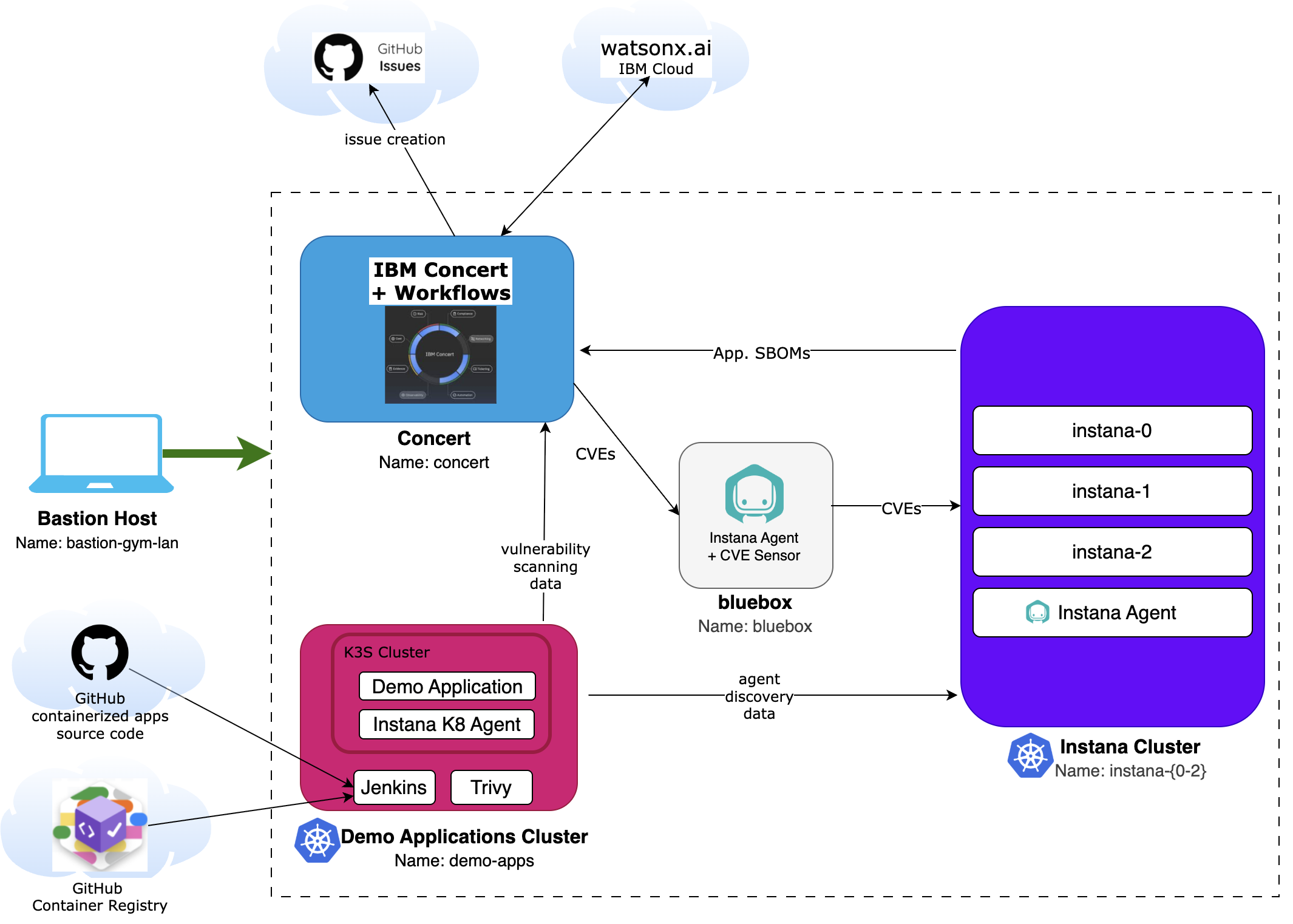
In this Lab, you will have access to three RHEL (Red Hat Enterprise Linux) virtual machines plus a bastion virtual machine that will let you access the overall deployment:
- Bastion Host - a RHEL VM named bastion-gym-lan that will be used as the bastion host for the lab network. This Bastion host has access to all lab VM's and will be your primary workstation for these labs.
- Concert Host - a RHEL VM that has preinstalled IBM Concert + Workflows.
- Instana Cluster - 3 RHEL VMs that are running a multi-node self-hosted Instana server on a K3S kubernetes cluster.
- Bluebox - a RHEL VM that contains an Instana Agent pre-installed.
- Demo Applications Cluster - a RHEL VM with the CI/CD tool Jenkins and the open-source vulnerability scanner Trivy preinstalled. In addition, it has a (single node) K3S kubernetes cluster. This kubernetes cluster has an Instana agent preinstalled and the demo application Quote of the Day (qotd) that will be installed by the Jenkins pipeline during the Lab.
The following software versions are used in the Lab environment:
- Concert v2.2.0
- Instana v311
- Jenkins v2.541.2
- Trivy v0.67.2
- RHEL release 9.4
The following diagram describes the infrastructure for the Lab:
Functional View
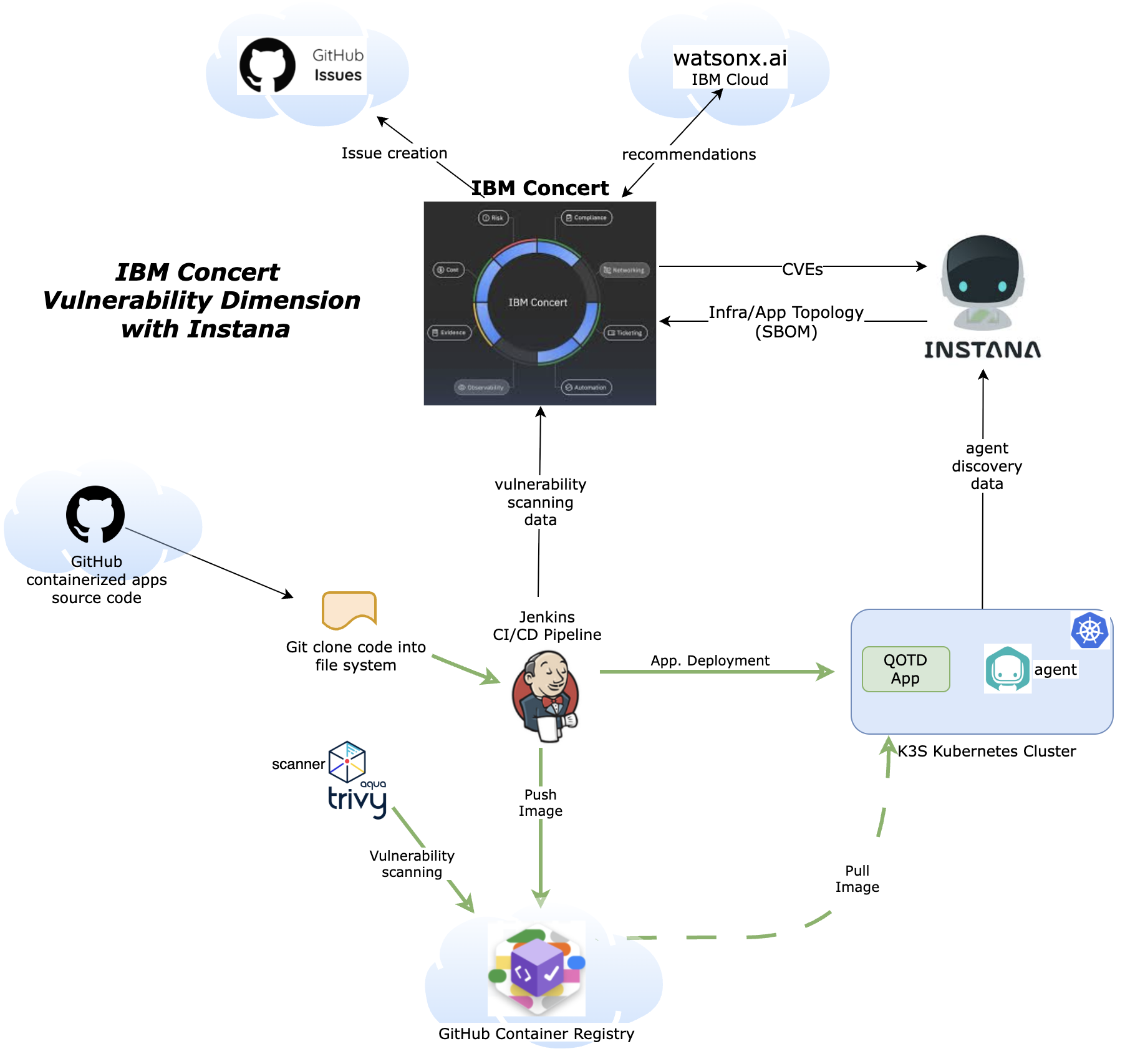
The following diagram describes the Lab functional view. It shows the different components and how they interact with each other:
Prerequisites
Create an IBM ID
You will need an IBM ID to request and access your lab environment in IBM TechZone. You can create an IBM ID here.
Obtain your Entitlement key
Navigate to the IBM Container Software Library to obtain your entitlement key. The entitlement key is assigned to your IBM ID which will grant you access to the IBM Container Registry.
You can check your entitlement key by clicking View Library. Take note of this key as you will need it later in the Lab.

Instana license keys
Required when requesting the lab environment:
- Agent / Download Key
- Sales Key
IBMers and IBM Business Partners can get license keys from the Partner Access to Instana presentation.
Note: Keys are rotated every 6 months so please check at time of requesting lab.
A public GitHub account
During the Lab, you will need to fork a GitHub repository using your own personal public GitHub account. You can create a free account if you do not have one already from GitHub.
Requesting a Lab Environment
Below is a live chart showing Tech Zone capacity in each available region. When requesting your environment it would be wise to select the region that has the most capacity available.
Follow these instructions for step by step guidance on requesting and accessing a lab environment in IBM Tech Zone.
Request Tech Zone environment: