Workflow Overview
This section describes the development workflows supported by Bank of Z. These workflows enable developers to modify application assets, build and validate changes, and deploy updates to the target z/OS environment.
Bank of Z supports modern Git-based development practices while leveraging enterprise z/OS technologies and automated build and deployment capabilities.
Development workflow
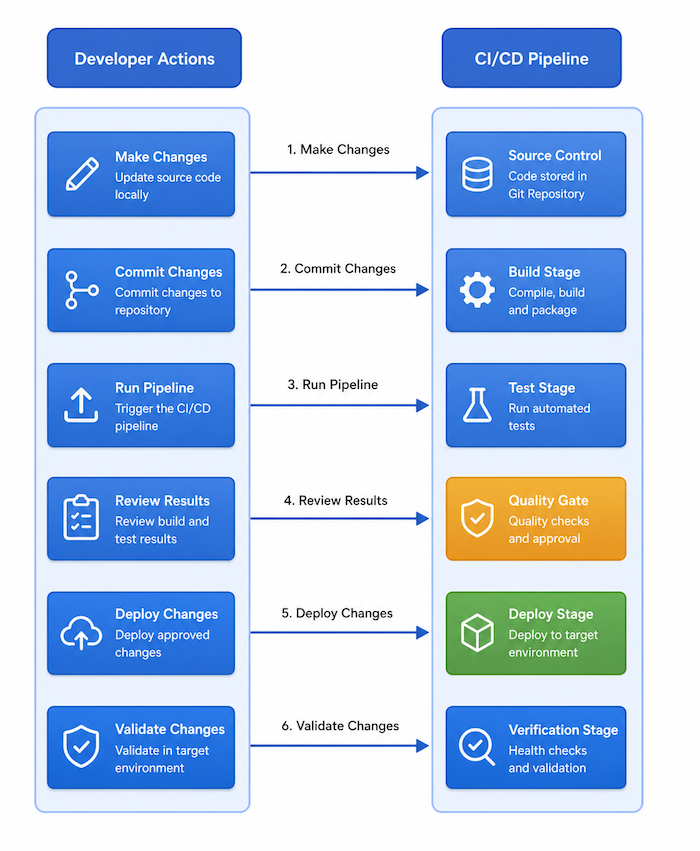
A typical Bank of Z development workflow consists of the following activities:
1. Make changes
- Modify application source code, configuration files, or deployment artifacts.
- Common changes include updates to COBOL programs, BMS maps, copybooks, z/OS Connect APIs, and web application components.
2. Commit changes
- Review and commit changes to the source repository.
- Use meaningful commit messages to document modifications and support traceability.
3. Run the pipeline
- Run the build pipeline using the supported development workflow.
- The pipeline analyzes source changes, builds affected components, packages deployment artifacts, and prepares deployment plans.
4. Review results
- Review build logs, reports, and generated artifacts.
- Address any build, dependency, or deployment issues identified during the pipeline run.
5. Deploy changes
- Deploy validated artifacts to the target environment.
- Updated components are activated in the appropriate runtime environments, including CICS, Db2, IMS, MQ and z/OS Connect.
6. Validate changes
- Verify that the deployed changes function as expected.
- Run application tests and review runtime behavior before promoting changes to additional environments.
Supported workflows
Bank of Z supports multiple development approaches.
Zowe CLI workflow
A task-based workflow that uses Zowe CLI to clone your branch on z/OS USS and run the setup and pipeline scripts. Can be triggered from the command line or from supported development environment tasks.
GRUB workflow
A development workflow optimized for rapid iteration, allowing you to synchronize changes directly to the target environment and run build and deployment activities without requiring committed changes.
The following sections describe each workflow in more detail and provide guidance for common development scenarios.