Installation Overview
This section describes how to install, configure, build, deploy, and verify a Bank of Z environment.
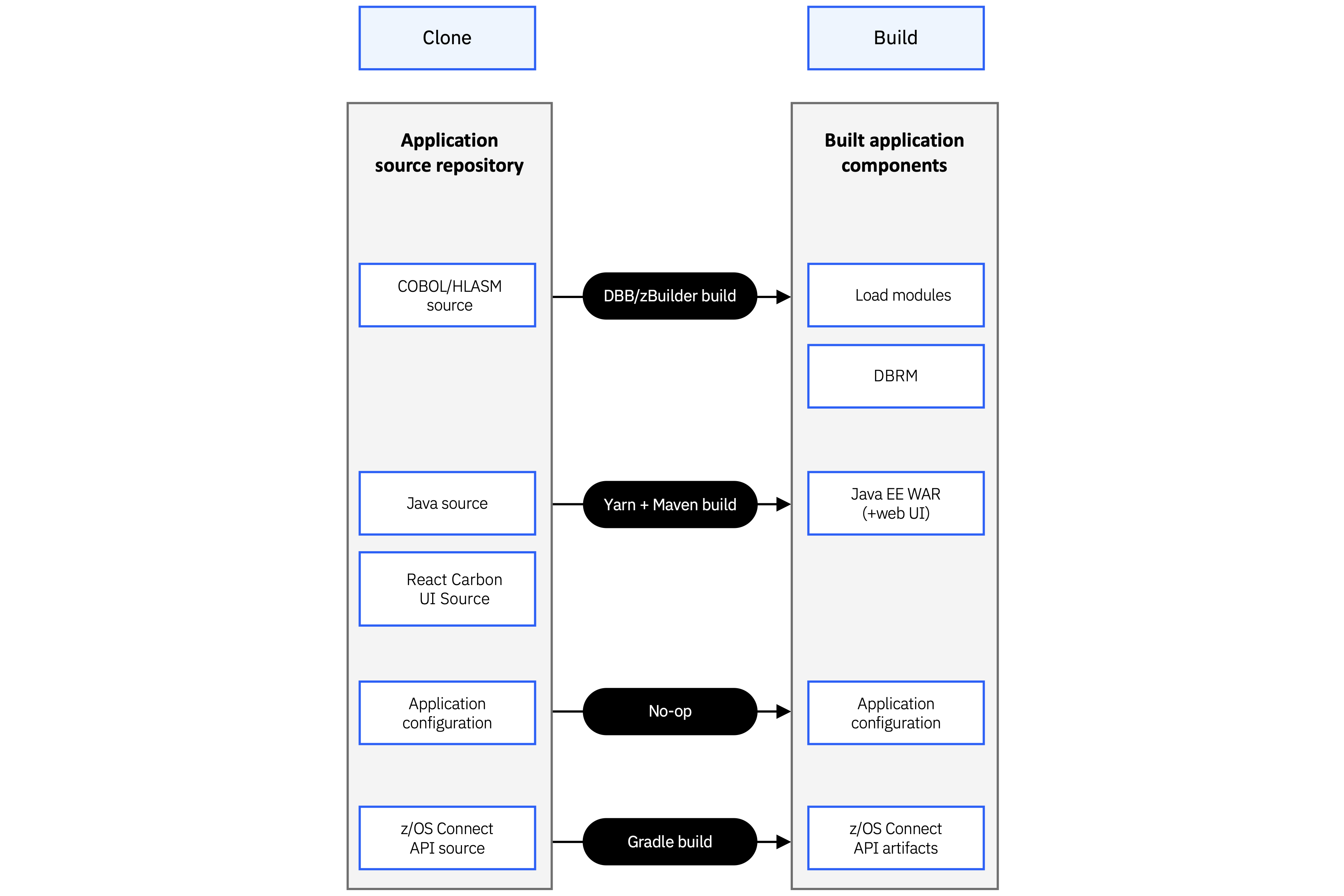
Bank of Z is a self-contained sample hybrid banking application that demonstrates modern IBM Z development, deployment, and DevSecOps practices. The repository includes the application source code, infrastructure configuration, automation scripts, build and deployment assets, and supporting documentation required to install and configure the complete Bank of Z environment.
The application integrates technologies including CICS, IMS Transaction Manager (IMS TM), IMS DB, Db2 for z/OS, z/OS Connect, and IBM MQ, providing a realistic environment for learning, testing, and workflow validation.
Technology stack
Bank of Z uses the following technologies and development capabilities to support application development, build, provisioning, deployment, and API configuration:
| Tool | Role |
|---|---|
| IBM DBB | Compiles and packages all application source |
| Wazi Deploy | Deploys the build archive to CICS and IMS |
| zconfig | Provisions CICS, IMS and MQ middleware |
| z/OS Connect CLI | Configures and starts z/OS Connect APIs |
Installation workflow
The Bank of Z installation process consists of the following stages:
- Verify software and system prerequisites.
- Configure the target environment.
- Install and configure the required development tools.
- Build the application.
- Deploy application resources and services.
- Verify the installation.