
Configure your client applications to connect to the Event Gateway to access your subscriptions.
Use the code snippets provided for each event endpoint, along with your subscription details.
Configuring a client
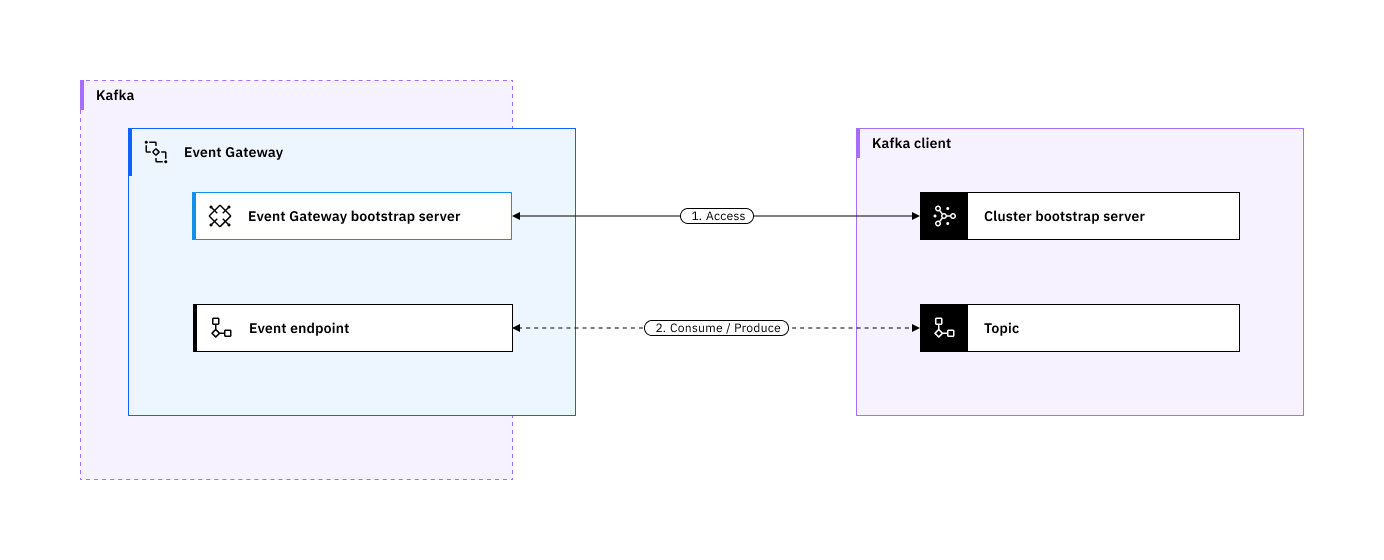
The Event Gateway manages access to event endpoints in Event Endpoint Management. Configure your client applications to connect to the Event Gateway by using standard Kafka client configuration options.
The way that you provide the configuration settings to your client varies from client to client. However, the following settings are common for every client:
Bootstrap servers: The set of Event Gateway Server addresses that provide access to an event endpoint can be found in the Catalog page for that event endpoint, in the Server table. If multiple addresses are used, separate them with commas.Security mechanism: Set asSASL_SSLif username and password are used in the subscription. Set asSSLif mTLS is used without a username and password.SSL configuration: The Event Gateway exposes only a TLS-secured endpoint for clients to connect to. For each Gateway endpoint address, the server certificate can be downloaded (in PEM format) from the Catalog detail page. Configure your client to trust this certificate.SASLcredentials : IfSASL_SSLis specified as theSASL mechanism, then setSASL username, andSASL passwordwith the values retrieved when you subscribed to the event source.Topic name: The name of the event endpoint you want your application to use. The name is displayed in the Catalog table under the Topic name column and as the heading of the Catalog detail page when you view more information about an event endpoint.