Rebrand the app
1. [Mandatory] Change the application name and bundle identifier
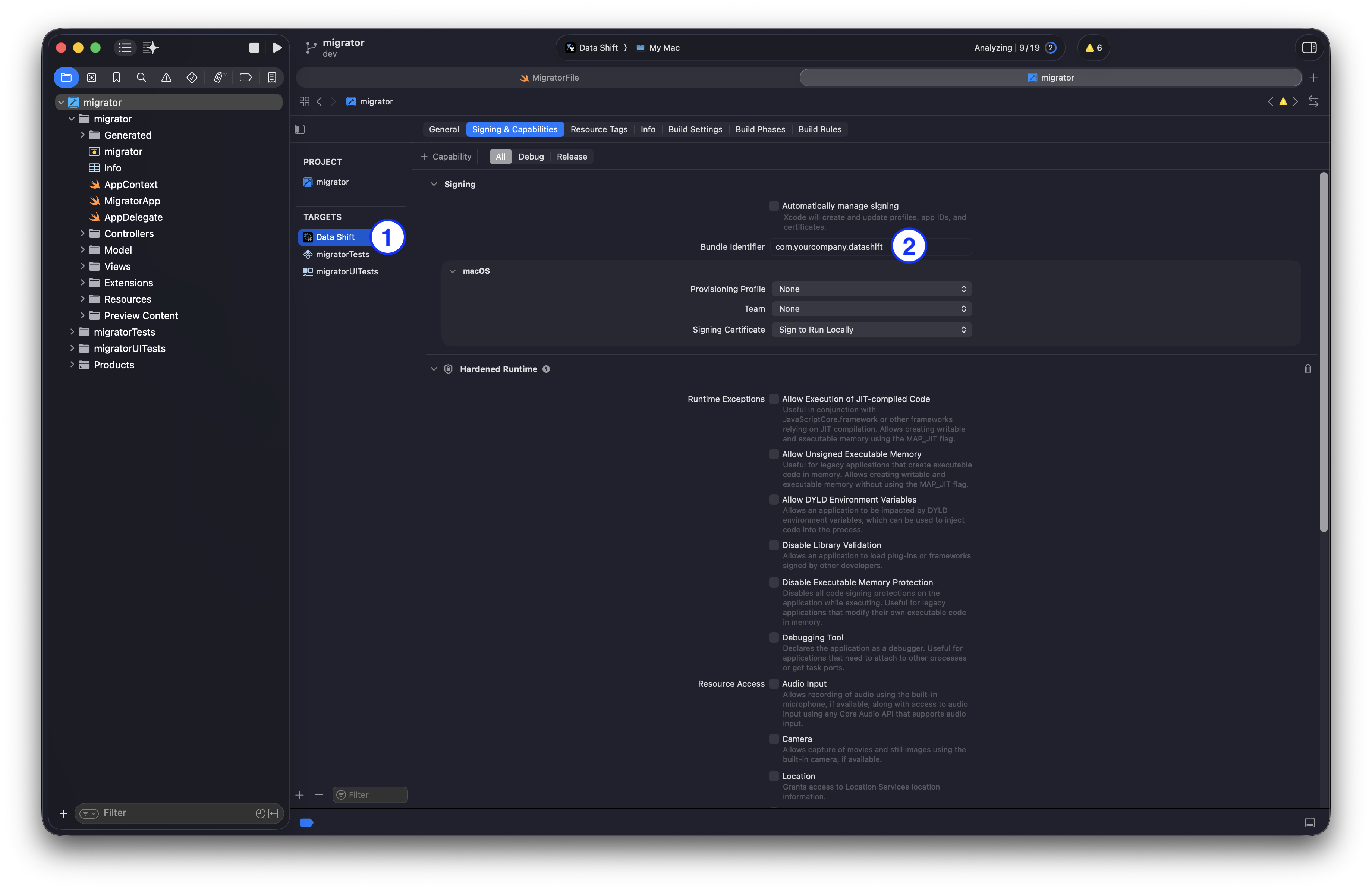
- Open the project in Xcode, select “migrator” in the Project Navigator and double-click the target name (nr. 1 in the picture above) to change the application name.
- Change the bundle identifier (nr. 2 in the picture above). Do not leave the default bundle ID and never use
com.ibm.*bundle IDs.
2. [Mandatory] Change the organization name in AppContext.swift
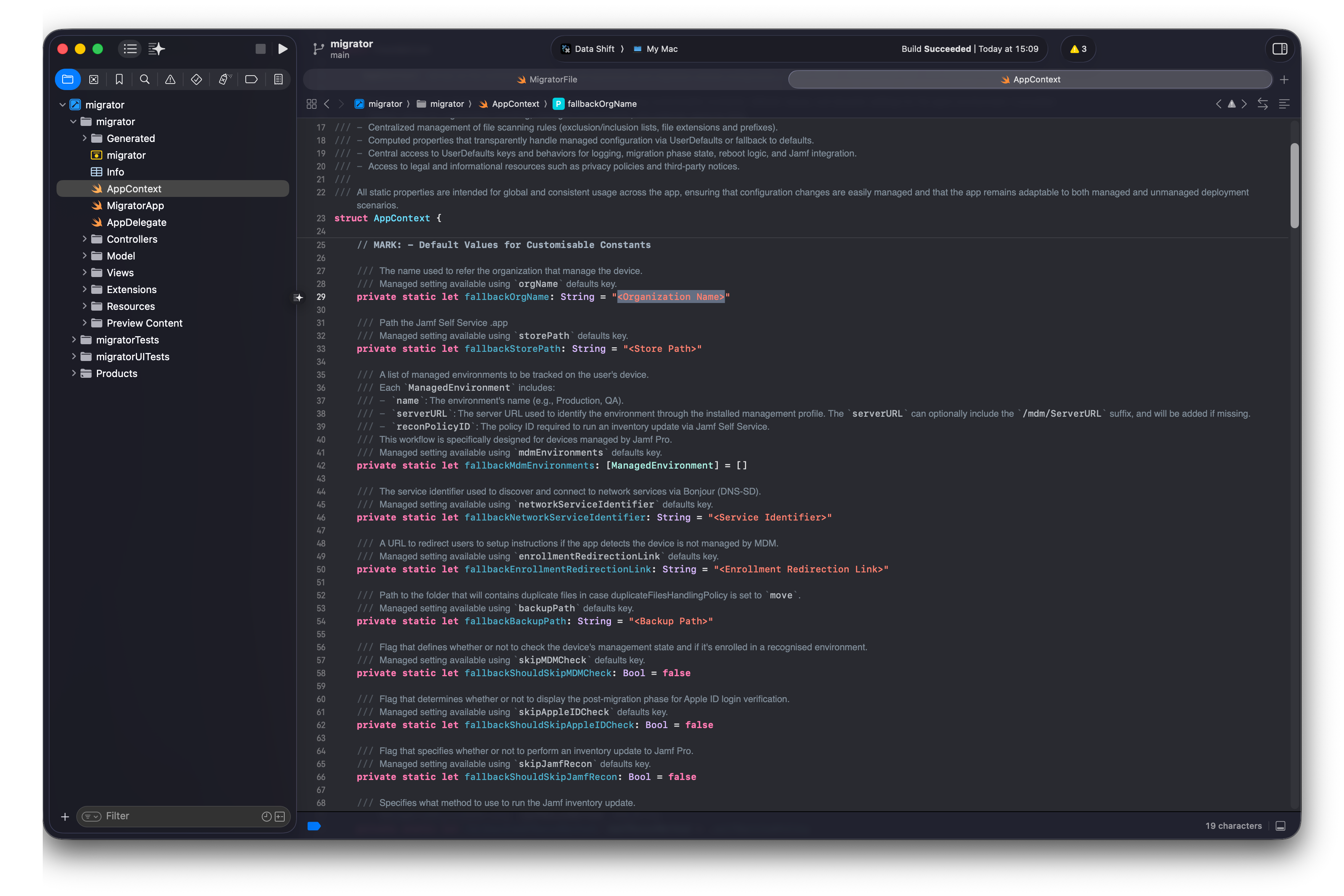
This is the organization/team name used in some of the app dialogs. Replace the <Organization Name> string with your org or team name, for example private static let fallbackOrgName: String = "Mac@IBM".
Also available as a custom setting deployable through a configuration profile.
3. [Mandatory] Change the service name in AppContext.swift
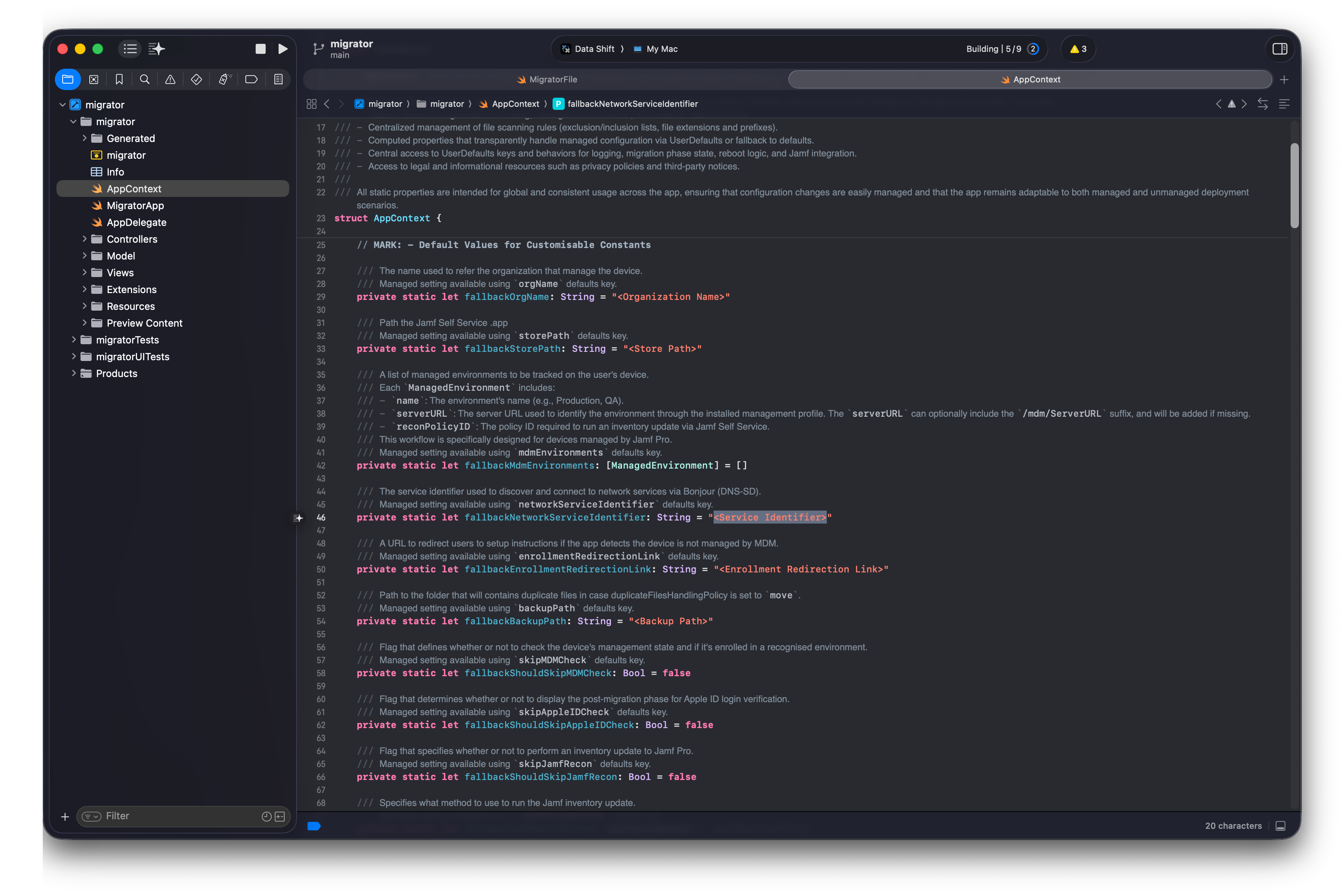
This is the name of the service advertised through Bonjour. Replace the <Service Identifier> string with something like _migrator_ibm. We suggest including your company name. Don’t use spaces or special characters except _.
Also available as a custom setting deployable through a configuration profile.
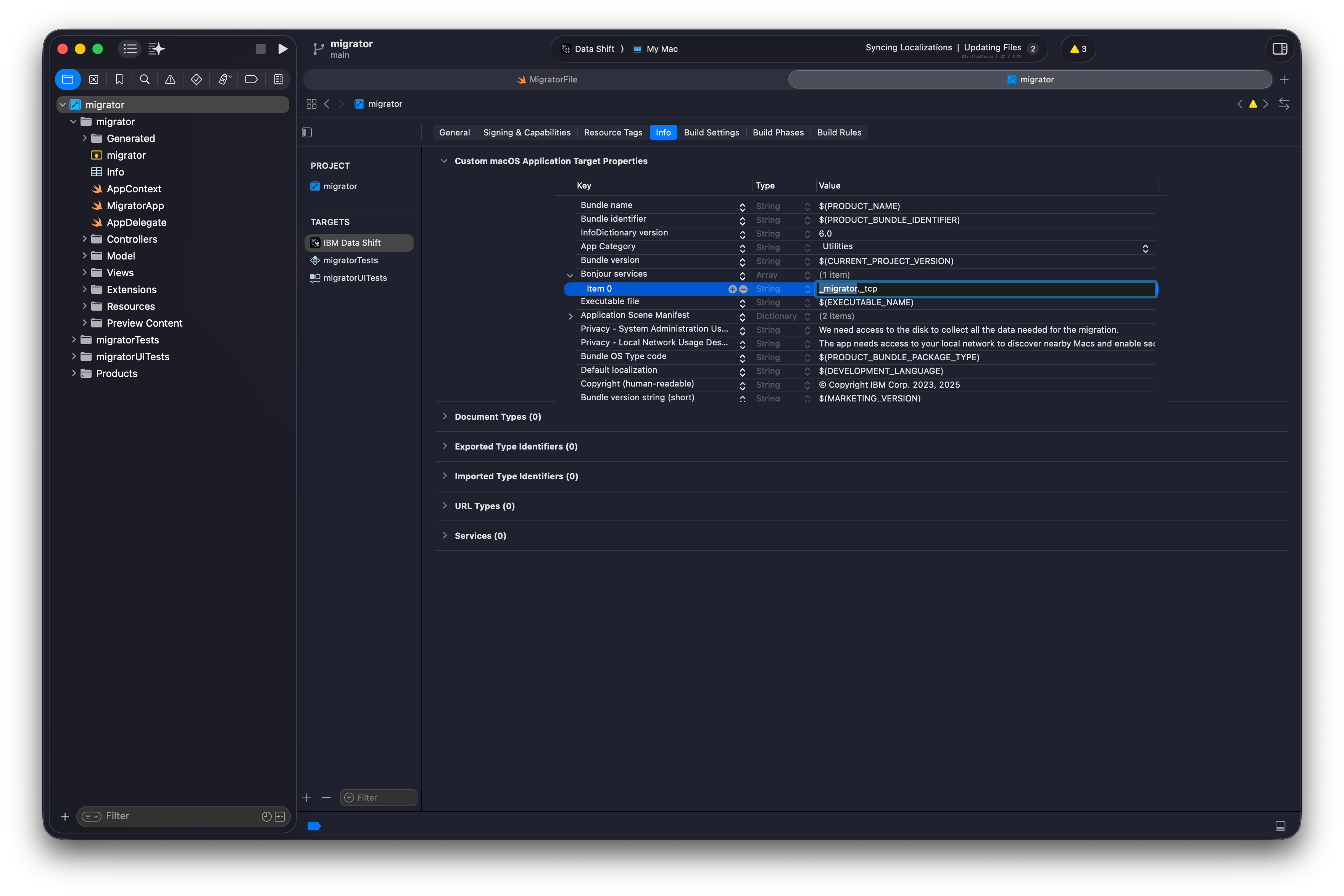
Remember to modify it in the Info.plist file as well (leave the ._tcp suffix).
4. [Mandatory] Change the application icons
The app uses two kinds of icons: the app icon used by macOS, and the icon shown on the different pages.
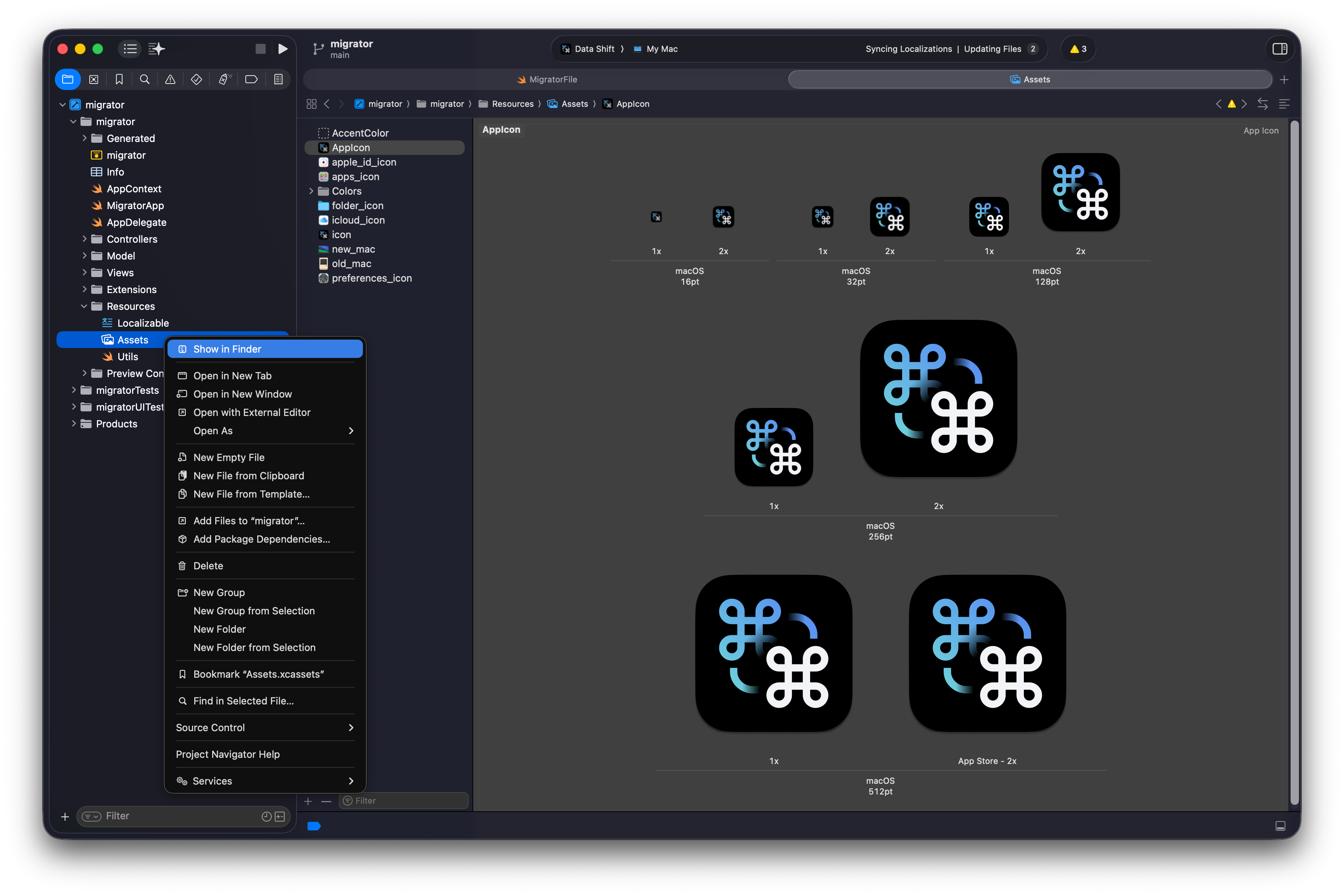
To change the app icon, in the Project Navigator right-click the folder Shared/Resources -> Assets.xcassets and choose Show in Finder.
-
Replace all
PNGfiles inside theAppIcon.appiconsetfolder with your custom icons. File names and resolutions must be exactly the same as the originals. For example16x16@2x.pngmust keep that name and be 32x32 pixels.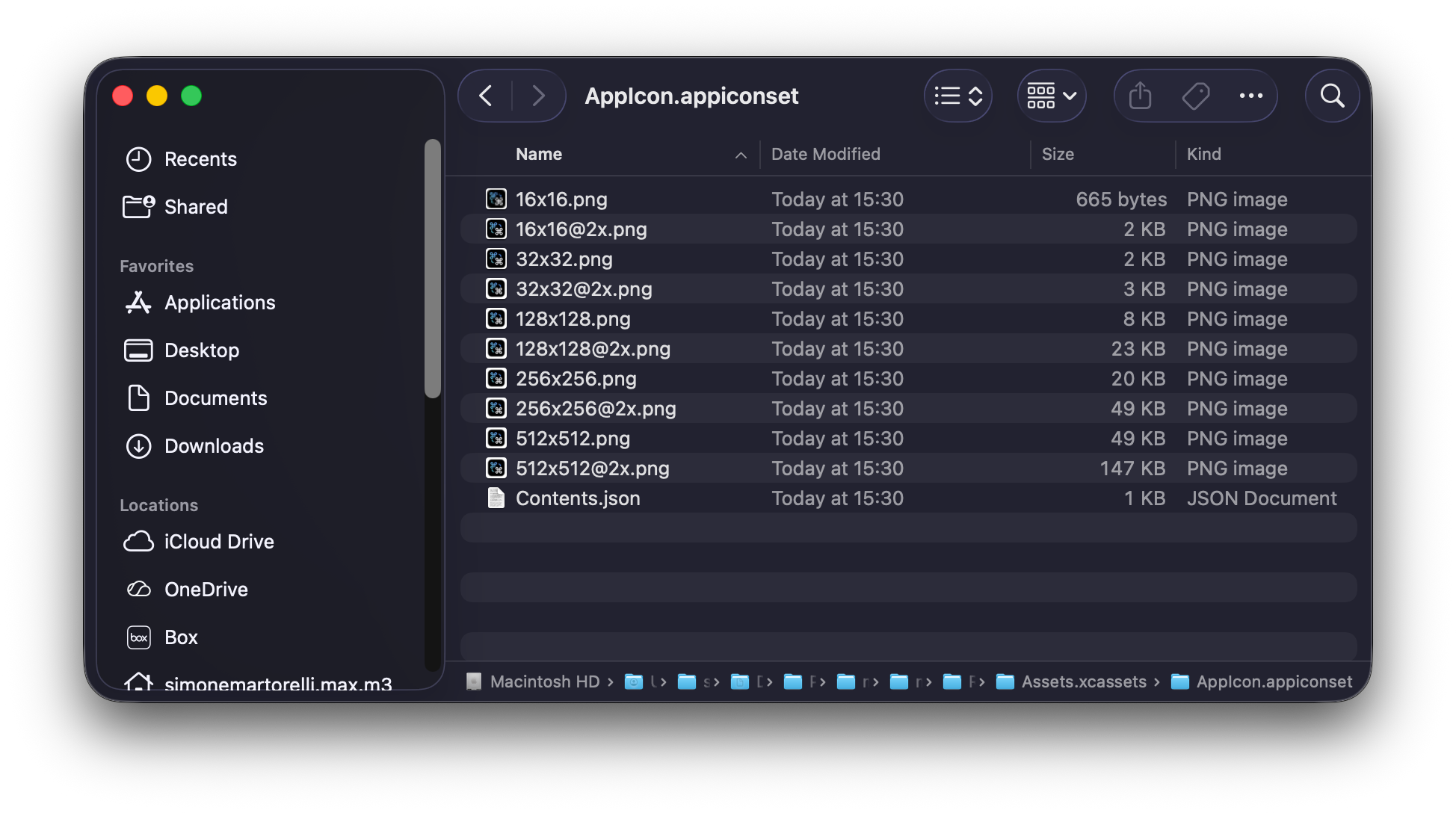
-
To change the default pop-up icon, select
Notification Agent Popups -> Assets.xcassetsin the Project Navigator, select theiconasset and drag and drop the new file onto it. We recommend a.pdffile for best results.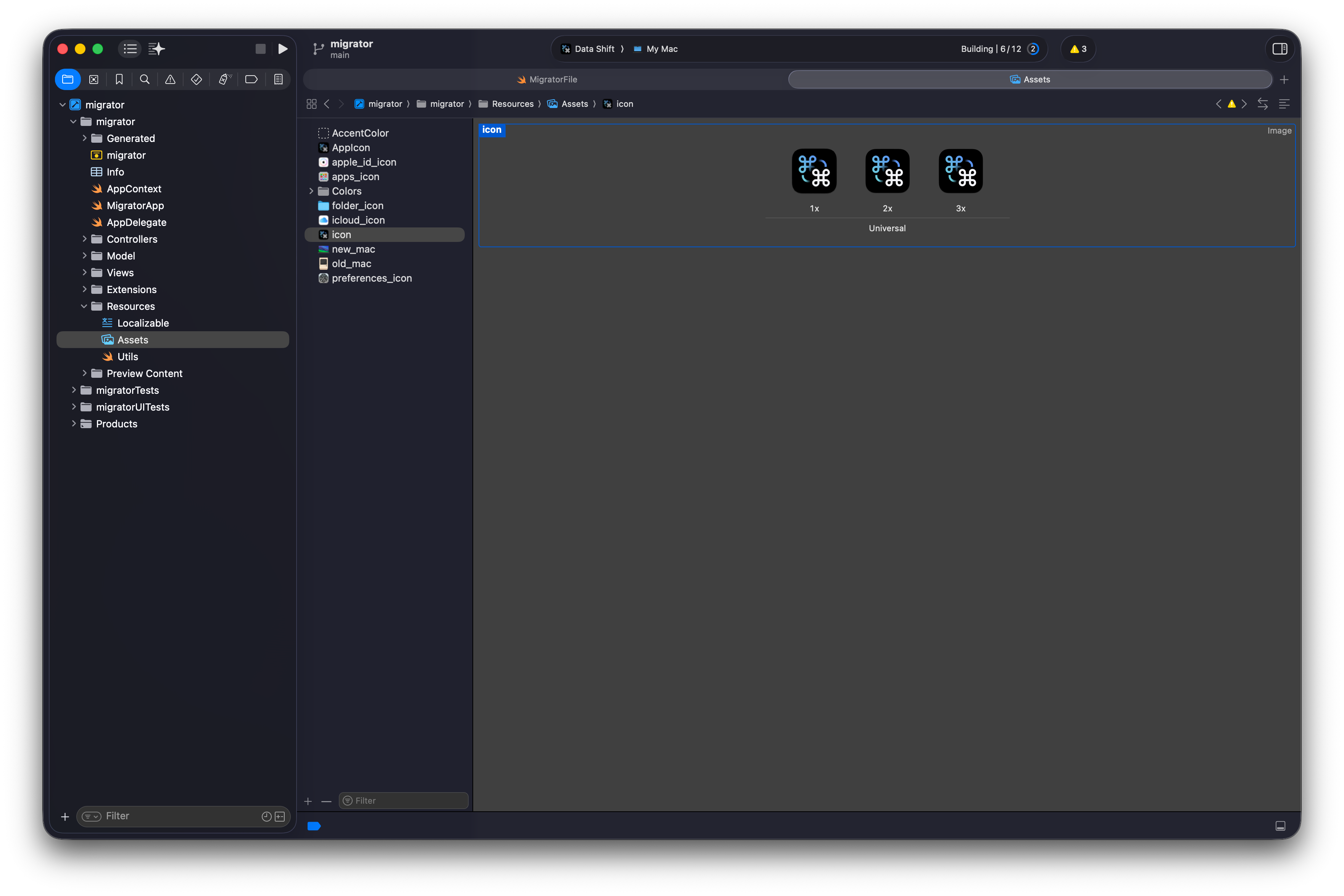
5. Copyright
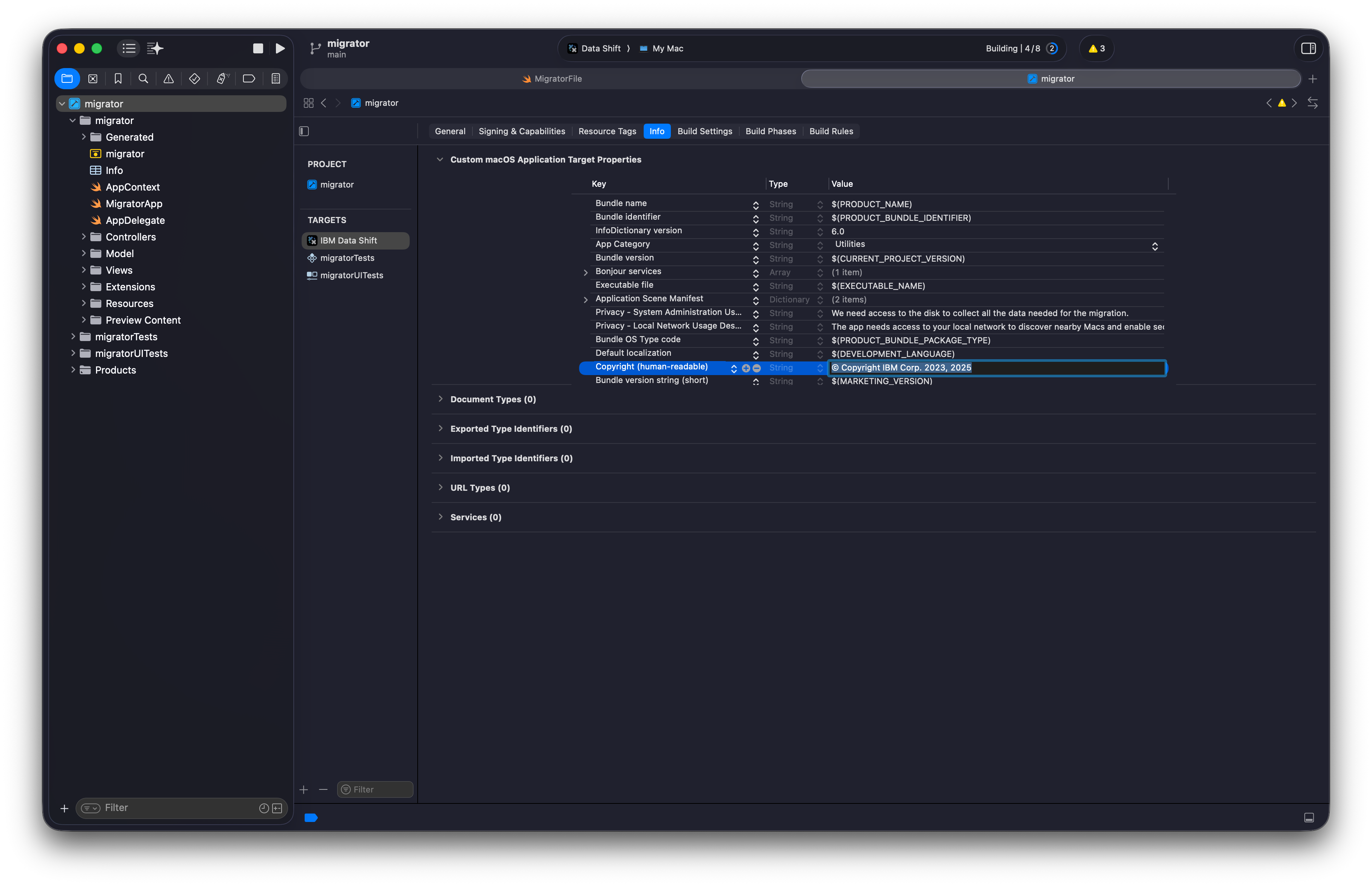
Update your copyright notice in the Info.plist file.
6. Runtime customization via configuration profile (alternative)
Many branding elements can also be configured at runtime through a configuration profile. This lets you update branding without recompiling and use different branding for different device groups.
Organization name: deploy it with the orgName key instead of hardcoding it.
Custom page icons: instead of replacing assets in the app bundle, specify an icon per page with these keys: welcomePageIcon, browserPageIcon, serverPageIcon, codeVerificationPageIcon, setupPageIcon, recapPageIcon, migrationPageIcon, jamfReconPageIcon, rebootPageIcon, finalPageIcon. Icons can be remote URLs, local files in the app bundle, or Base64-encoded image data.
Font: set customFontFamily to use a different font family than the default IBM Plex Sans.
Legal documents: configure termsConditionsURL, privacyPolicyURL and thirdPartyNotices. They can point to web pages or to PDF files included in the app bundle.
See Custom settings for all details.