
Environments (Streaming)#
An environment defines the execution context for running flows. It specifies the engine to be used, the libraries to be installed, and additional runtime parameters such as the number of CPU cores, memory allocation, and the maximum number of concurrent flow runs.
When configuring an environment, a command is generated that can be used to launch the environment. This command typically runs a Docker container with the selected engine version, all required libraries, and the specified parameters.
Creating an Environment#
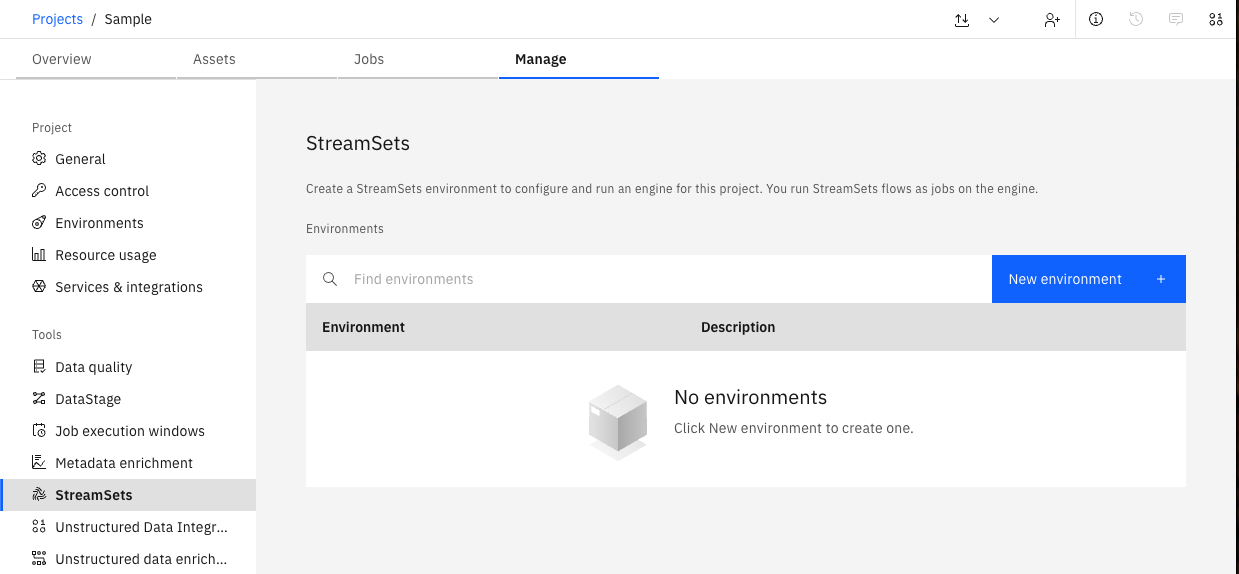
In the UI, you can create a new Environment by navigating to Manage -> StreamSets -> New environment.
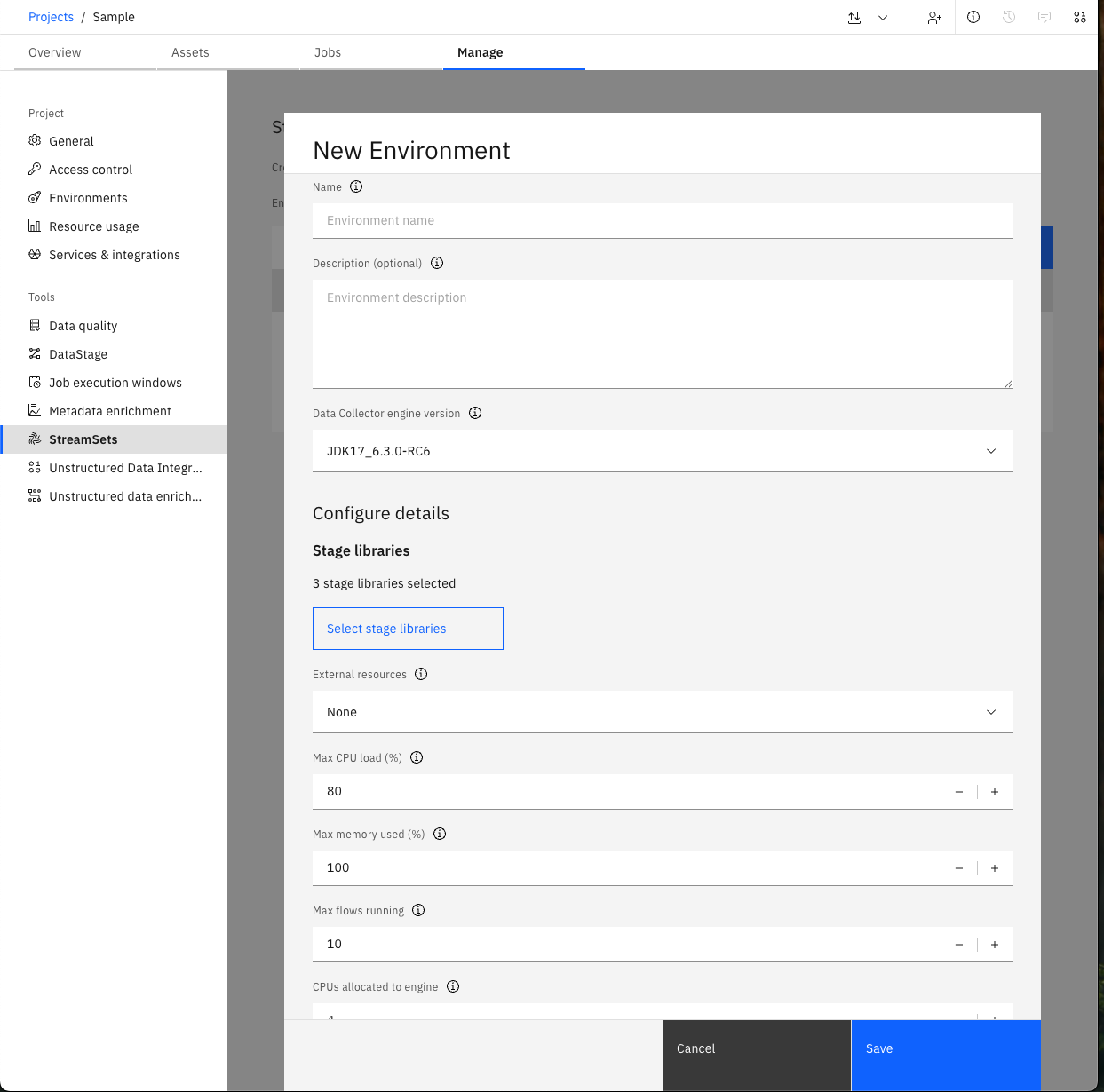
You will be prompted to provide a Name, select a Data Collector engine version, and configure other additional options.
In the SDK, you can create an environment from a Project object using the
Project.create_environment() method.
At a minimum, you must provide the name parameter.
All other parameters are optional and will be populated with default values if not specified.
This method returns a Environment object.
Engine Types
The SDK supports two engine types for streaming environments:
DataCollector (default): The traditional streaming engine with support for Docker, Podman, and Kubernetes container providers. Requires only basic configuration parameters.
Jetstream: A cloud-native streaming engine optimized for scalability. Requires two additional connections:
Cluster Connection: Connection to your Kubernetes or container orchestration cluster
Artifact Location Connection: Connection to object storage (e.g., IBM Cloud Object Storage, S3) for storing engine artifacts
Jetstream supports Docker and Podman container providers, but not Kubernetes directly (uses cluster connection instead).
By default, environments are created with the DataCollector engine type.
DataCollector Environment Example
>>> env = project.create_environment(
...     name='Sample',
...     # Optional parameters - see API Reference for more optional parameters
...     engine_version=engine_version,
...     description='Basic env.',
...     stage_libs=[
...         'streamsets-datacollector-basic-lib',
...         'streamsets-datacollector-dataformats-lib',
...         'streamsets-datacollector-dev-lib'
...     ],
...     cpus_to_allocate=2,
... )
>>> env
Environment(name='Sample', description='Basic env.', ...)
Jetstream Environment Example
Jetstream environments require two additional connections:
>>> # Get required connections for Jetstream
>>> cluster_conn = project.connections.get(name='my-k8s-cluster')
>>> storage_conn = project.connections.get(name='my-object-storage')
>>>
>>> # Create Jetstream environment
>>> jetstream_env = project.create_environment(
...     name='Jetstream Production',
...     description='Production Jetstream environment',
...     engine_type='jetstream',
...     cluster_connection=cluster_conn,
...     artifact_location_connection=storage_conn,
...     container_provider='docker'  # or 'podman'
... )
>>> jetstream_env
Environment(name='Jetstream Production', environment_id='...', engine_type='jetstream')
Note
Retrieving an Existing Environment#
Environments can be retrieved through a Project object.
You can access all environments associated with a project using the
Project.environments property.
You can also retrieve a single environment using the Project.environments.get() method,
which requires the environment_id parameter.
>>> # Get all environments associated with the project
>>> project.environments
[...Environment(name='Sample', description='Basic env.', ...)...]

>>> # Get a single environment by its id
>>> project.environments.get(environment_id=env.environment_id)
Environment(name='Sample', description='Basic env.', ...)

>>> # Filter environments by engine type
>>> datacollector_envs = project.environments.get_all(engine_type='data_collector')
>>> jetstream_envs = project.environments.get_all(engine_type='jetstream')
Modifying an Environment#
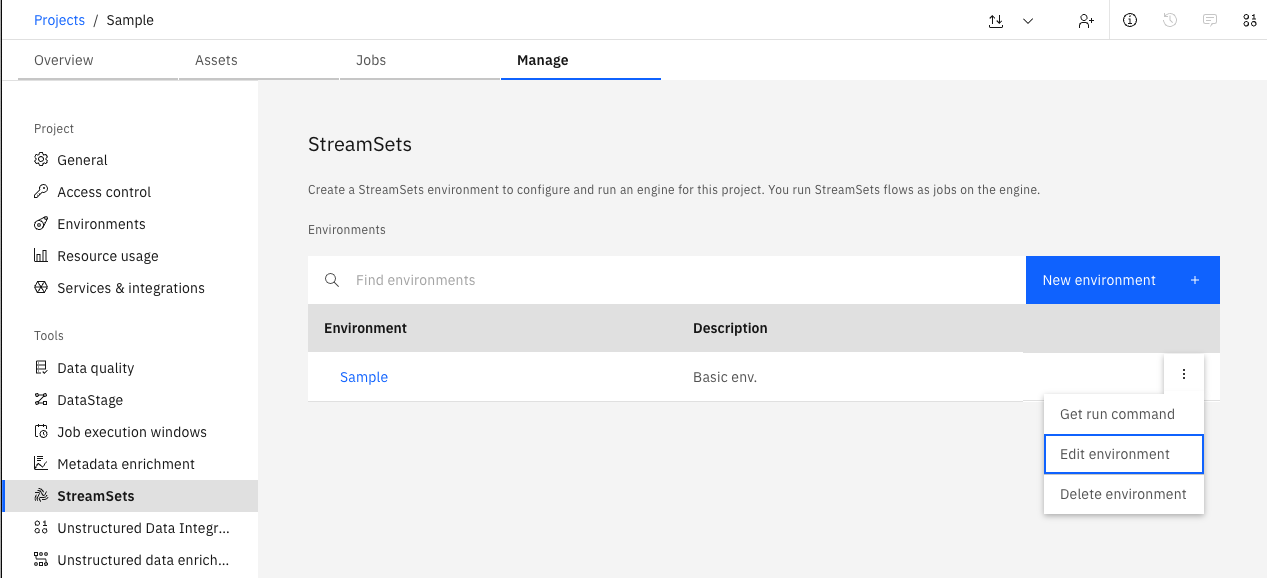
In the UI, you can update or delete an existing Environment by navigating to Manage -> StreamSets.
Updating an Environment#
Similar to environment creation, an environment can also be updated using the Project object.
First, modify the properties of the environment instance, then update it using the
Project.update_environment() method.
>>> # Modify environment settings
>>> env.max_memory_used = 80
>>> env.stage_libs.append('streamsets-datacollector-aws-lib')

>>> # Update the environment on the platform
>>> project.update_environment(env)
<Response [200]>
>>> env = project.environments.get(environment_id=env.environment_id)
>>> env.stage_libs
['streamsets-datacollector-basic-lib', 'streamsets-datacollector-dataformats-lib', 'streamsets-datacollector-dev-lib', 'streamsets-datacollector-aws-lib']
Retrieving the Engine Installation Command#
To start and run the Engine defined by an Environment, you need to retrieve the installation command for that Environment and execute it on the machine where you want the Engine to run.
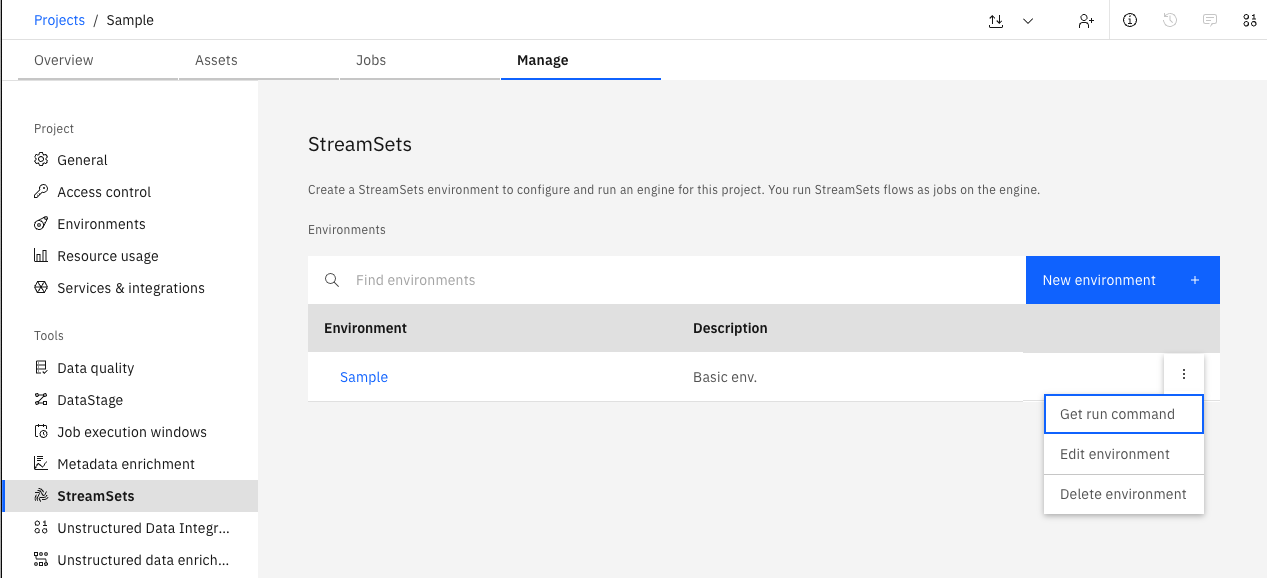
In the UI, you can retrieve the run command by navigating to the Manage -> StreamSets.
You can retrieve the run command via the Environment object by using the
Environment.get_installation_command() method.
>>> env.get_installation_command(
...     # Optional parameters
...     pretty=False,
...     foreground=True
... )
'docker run -d --restart on-failure --cpus=4.0 --hostname "$(hostname)" -p 18630:18630 ...'
Note
Be aware that the installation command you retrieve from the Environment requires the SSET_API_KEY environment variable to be set for the user executing the command.
This environment variable should contain the API key you generated for authenticating with the watsonx.data integration platform.
Deleting an Environment#
To remove a single environment, use the
Project.delete_environment() method.
The delete method returns an API response, which you can inspect to verify the status code.
>>> project.delete_environment(env)
<Response [200]>
By default, engines associated with the environment are not deleted. If you want to delete all engines
before deleting the environment, set the delete_engines parameter to True:
>>> project.delete_environment(env, delete_engines=True)
<Response [200]>
To remove multiple environments at once, use the
Project.delete_environments() method.
This method accepts any number of Environment instances and returns a single HTTP response.
>>> env1 = project.create_environment(name='Sample1')
>>> env2 = project.create_environment(name='Sample2')
>>> project.delete_environments(env1, env2)
<Response [200]>
Similarly, you can delete all engines associated with the environments by setting delete_engines=True:
>>> project.delete_environments(env1, env2, delete_engines=True)
<Response [200]>
Retrieving Available Engine Versions#
To view the list of available Engine versions, use the
Platform.available_engine_versions property.
This returns a StreamingEngineVersions object that can be used to list
StreamingEngineVersion objects, which can be used when configuring an Environment.
>>> platform.available_engine_versions
[...StreamingEngineVersion(engine_version_id='...', engine_type='data_collector', ...)...]
Retrieving Engine Version Details#
In the UI, you can view the list of libraries supported by a specific Engine version during Environment configuration:
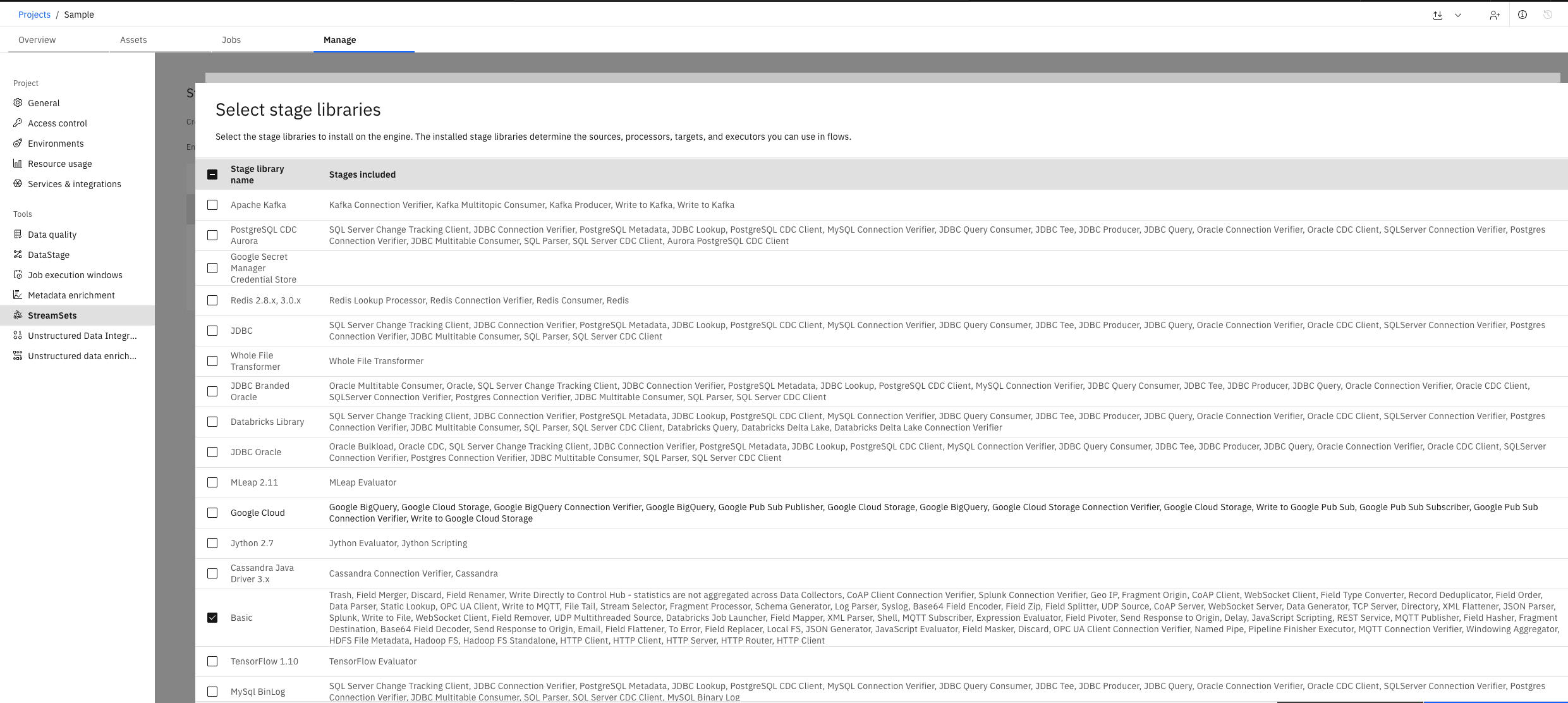
In the SDK, to retrieve the list of libraries supported by a given Engine version, use the
Platform.available_engine_versions property to list all available engine versions.
From there, you get a collection of StreamingEngineVersion objects that you can inspect further.
>>> platform.available_engine_versions
[...StreamingEngineVersion(engine_version_id='...', engine_type='data_collector', ...)...]

>>> # To see all stage library IDs that can be used in environment.stage_libs
>>> streaming_engine_version = platform.available_engine_versions[0]
>>> streaming_engine_version.stage_libs
[...StreamingEngineStageLib(stage_lib_id='streamsets-datacollector-aws-lib', label='Amazon Web Services')...]