MODULE 3 | TAILOR
/INIT AND AGENTS.MD
i. Teaching Bob your codebase
Across the first two modules (Assist and Delegate), Bob was put to work with minimal-to-no background or context about your codebase. Bob proved itself to be capable, but operating and working only from what it could read and infer based in the moment. Module 3 (Tailor) will change that approach markedly. Here you will teach Bob about your project and your standards, so that Bob begins behaving like a teammate who already knows how your team works.
There are three ways to tailor Bob which build on one another:
- Provide Bob with durable knowledge about your codebase (so it stops rediscovering your project from scratch with every invocation)
- Encode the standards Bob must always follow (so quality and conventions are enforced without needing to be re-typed)
- Shape Bob's behavior to fit each role on your team (so a product manager and a senior engineer each get the specialized version of Bob that they need).
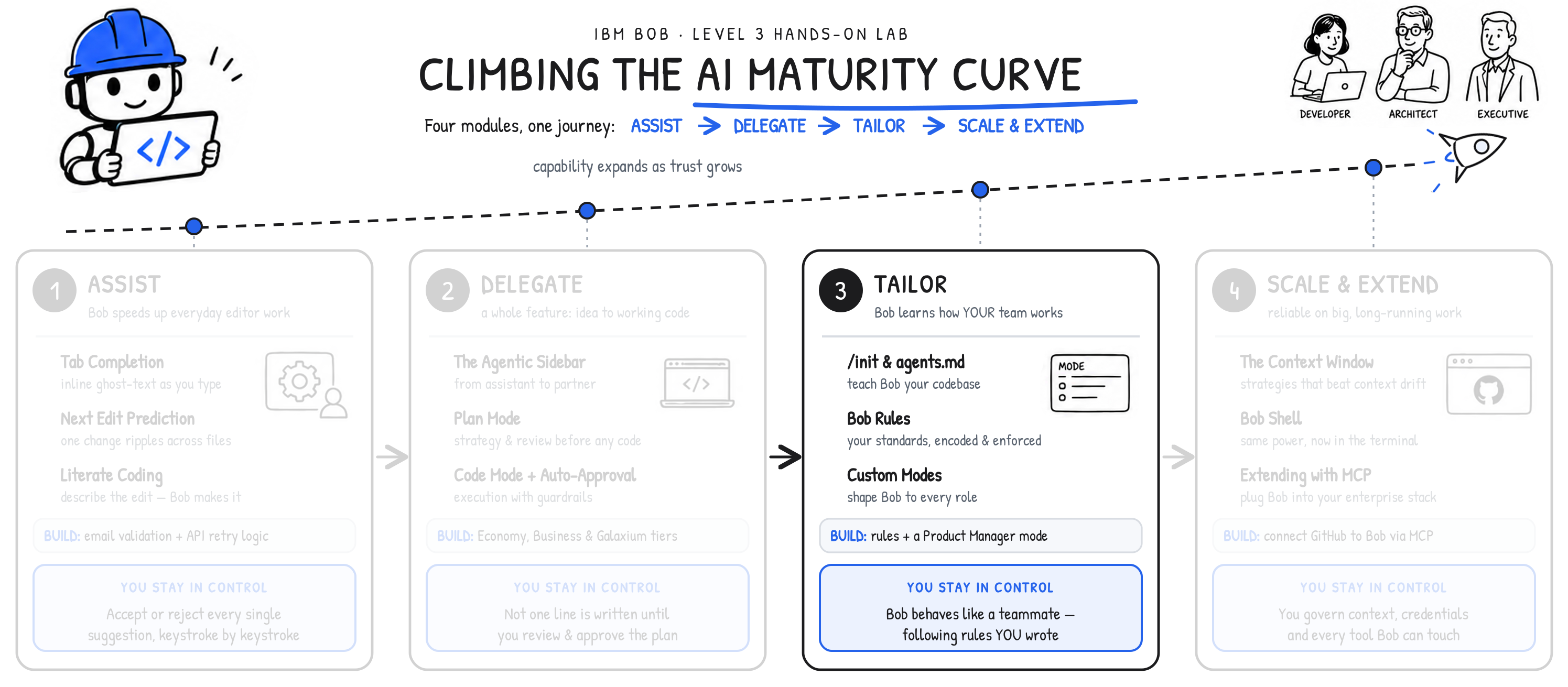
Notice where control lives at this stage in the AI Maturity Curve. Whereas in Modules 1 and 2 you approved Bob's work as it happened, here in Module 3 you write the rules down— commit them to the repository —and have them applied automatically, every time, for everyone. Viewed another way: Bob, at this stage in your jouney, has progressed beyond delegated work towards tailored work. Bob's behaviors, capabilities, and understanding are now being attuned specifically to the workflow and personas engaging with it.
ii. Why this matters
Large language models (LLM) are stateless and therefore every new conversation, without intervening strategies or techniques, will begin with no memory of the last interaction. Left to its own devices, Bob would need to rediscover your codebase from scratch at the start of each interaction — an inefficient approach for a small project and an impractically cumbersome approach for a large one.
The /init command solves this challenge. It scans your project and generates a structured summary that Bob loads as persistent context for every new conversation. The /init command thus becomes the primary mechanism for giving Bob durable knowledge of your project's structure, conventions, and code. All without needing to re-read every file with each new invocation.
RUNNING /init
Initializing a project's context takes seconds and requires no additional configuration. To do so using IBM Bob:
- Open the agentic sidebar in Bob IDE
- Enter the slash command:
/init - Bob reads the relevant files in the project
- Bob generates the
agents.mdcontext file
You'll have plenty of opportunities to practice this yourself when the hands-on portion of Module 3 kicks off. Beforehand, however, it's important to understand more about the complementary agents.md file.
THE AGENTS.MD FILE
The primary output of the /init command is agents.md: a plain-text Markdown file placed in the project root directory.
Think of agents.md as onboarding documentation written for specifically for Bob. It provides a concise, actionable summary of everything Bob needs to understand about the project in order to work effectively with it. The documentation typically covers: the project's overview and purpose; its directory structure and key file locations; the technology stack and dependencies; architectural patterns and conventions; and development workflows.
From the point it is first introduced and defined, agents.md is automatically prepended to every new conversation a user has with Bob, ensuring the LLM has immediate project context without requiring any manual file read efforts.
MODE-SPECIFIC CONTEXT FILES
Alongside the main agents.md Markdown documentation, the /init command also generates context files tuned to each one of Bob's built-in Modes (which we examined in Module 2):
| FILE | MODE |
|---|---|
.bob/rules-agent/AGENTS.md |
Agent mode (formerly Code and Advanced modes) |
.bob/rules-ask/AGENTS.md |
Ask mode |
.bob/rules-plan/AGENTS.md |
Plan mode |
Each mode-specific file extends the base context with what matters most for the successful operations of a given Mode. Context for Plan mode might emphasize architectural conventions, while Agent mode context would benefit from highlighting file structure and naming patterns.
iii. Hands-on: generating your project context
The larger your codebase, the more valuable a well-maintained AGENTS.md asset becomes. On a small project, Bob could conceivably read every file each conversation; even so, having a pre-defined AGENTS.md is still more efficient than the read-everything alternative. On a large project, an AGENTS.md manifest becomes the backbone of the entire workflow. It provides detailed guidance for how Bob should navigate the codebase, without exhausting the context window on file reads.
TIPS FOR /INIT AND AGENTS.MD
Execute the /init command after significant changes to ensure Bob picks up on any new modules or services, restructured directory trees, new framework, and so on. If there are instances where you (the administrator) want to capture context without performing an automated scan— or believe that an automated scan might miss some key elements, such as business rules or deployment conventions —then you may also edit the agents.md asset by-hand.
Let's give Bob durable knowledge of the Galaxium Travels codebase by running the /init command and generating its AGENTS.md files.
-
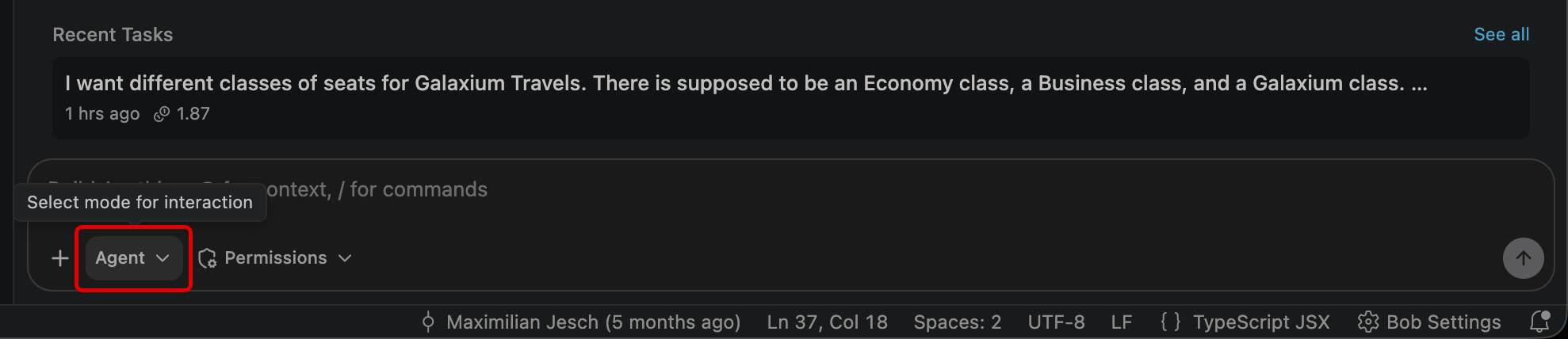
First, ensure that Bob has enabled Agent mode within the Agentic Sidebar.
-
Within the Agentic Sidebar, type the following and hit Enter to execute:
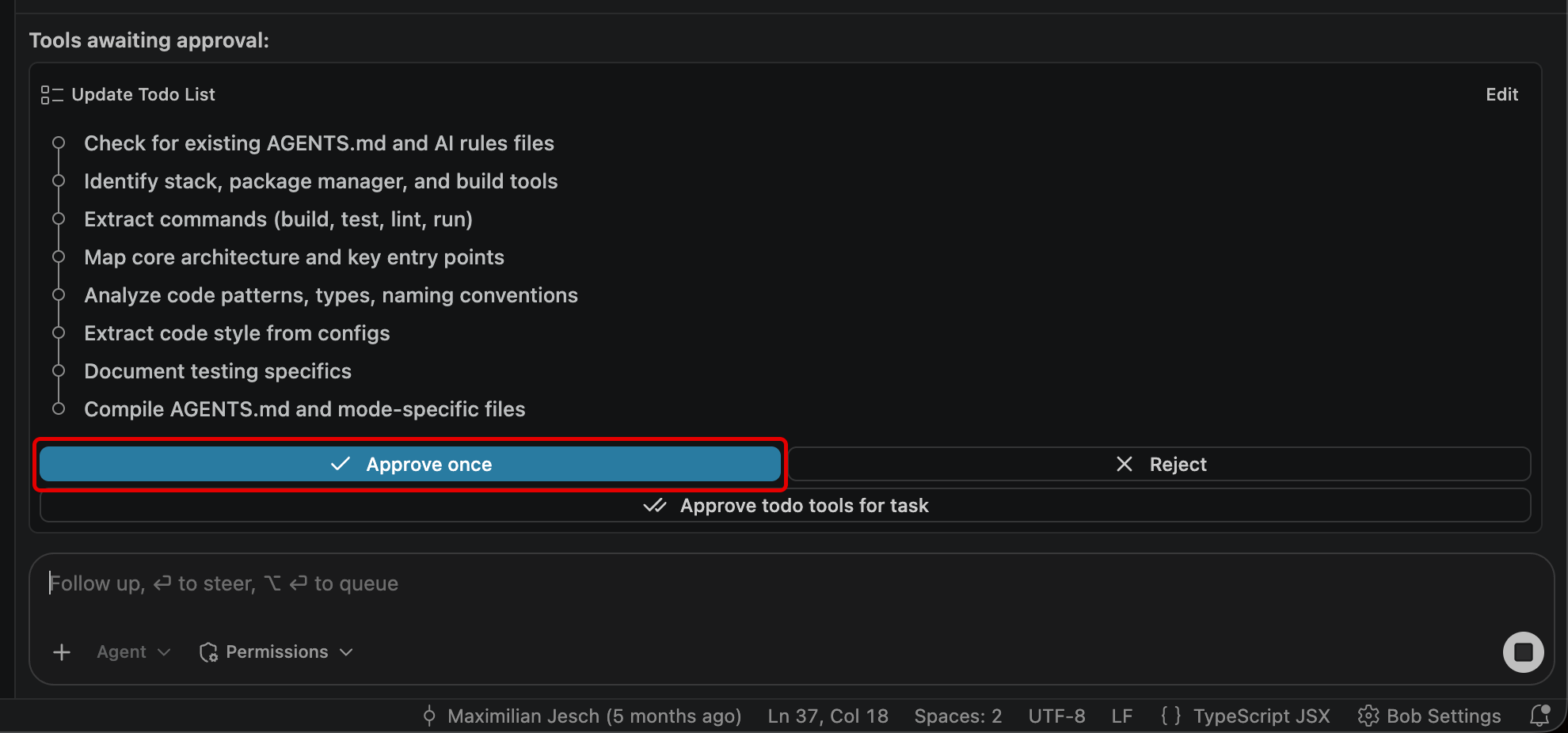
You may need to click Approve once (once or several times...) to permission access to the
agents.mdfile before this summary appears.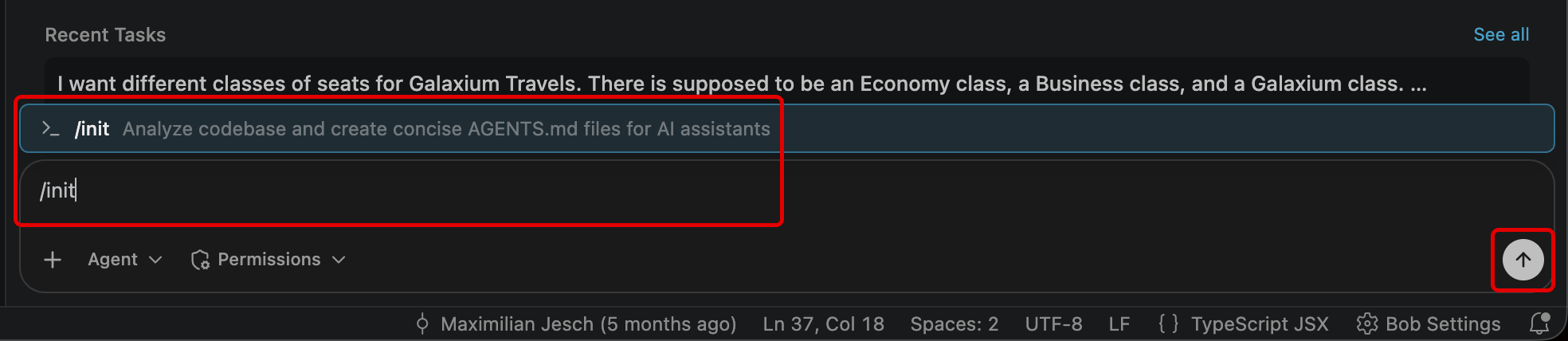
QUIZ QUESTION - IBM BOB LEVEL 4
If you are planning to pursue IBM Bob Level 4 accreditation, what is rendered on-screen or returned within a console as a result of this step are likely referenced as part of a multiple-choice question. It is strongly recommend that you record to a notebook (for reference later) the names and directory locaton of the three mode-specific context files inside
.bobthat are created as a result of running the/initcommand.
AGENTS OF GALAXIUM TRAVELS
After execution of the /init command, Bob's Agent mode will examine key front-end and back-end (service) files within the Project directory, ultimately writing a total of four files.
AGENTS.md — General guidance
- Commands require running from specific subdirectories (
pytestfrombooking_system_backend/,npmfrombooking_system_frontend/) - Single-test syntax with full pytest class path
- The dual REST+MCP architecture on a single port
.bob/rules-agent/AGENTS.md — Coding gotchas
- No
seats_availablecolumn — test fixtures in the repo use an old column name that no longer exists in the model; discovered only by reading bothmodels.pyand the tests - MCP tools bypass FastAPI DI — they call
SessionLocal()directly, so tests must patch two places verbatimModuleSyntaxenforcesimport typefor type-only imports- Cancellation is
POST, notDELETE
QUIZ QUESTION - IBM BOB LEVEL 4
If you are planning to pursue IBM Bob Level 4 accreditation, what is rendered on-screen or returned within a console as a result of this step are likely referenced as part of a multiple-choice question. It is strongly recommend that you record to a notebook (for reference later) details about the "gotchas" associated with a cancellation (it's a POST, not a DELETE).
.bob/rules-ask/AGENTS.md — Context for questions
- Backend tests are partially outdated (use the old seat model)
- Frontend has zero tests
booking_timehas no timezone suffix despite being UTC
.bob/rules-plan/AGENTS.md — Architecture constraints
- Price multipliers are frontend-only — backend stores only the economy base price
- SQLite with no migration framework (no Alembic)
seed.pyruns on every startup — not safe for multi-worker deployments- No update endpoint for bookings — cancel+rebook is the only flow
iv. Key takeaways
- LLMs are stateless by default: every conversation starts fresh, with no memory of the last session or chat
- The
/initcommand scans your project(s) and generatesagents.mddocumentation, a context file that will subsequently be included with every new Bob conversation AGENTS.mdfunctions like onboarding documentation: a structured summary that Bob utilizes to navigate your project(s)- Mode-specific
AGENTS.mdfiles give targeted context for IBM Bob's Agent, Plan, and Ask modes - For large-scale projects,
AGENTS.mdis essential: Bob cannot feasibly read every file at the start of each conversation without exhausting its (sizeable) context window - Re-run the
/initcommand after major changes to capture the latest context for project(s)
In the chapter ahead, you will examine strategies for encoding your organization's coding standards using Bob Rules.