Limiting the number of rows returned
You can limit the number of rows returned by statements that produce a large result set by using the Db2service: Max Rows extension setting.
To limit the number of rows that are returned when you run SQL statements:
- Open Visual Studio Code and click the gear icon (
 ) and then Settings.
 - Go to Extensions in the left sidebar and select IBM Db2 Developer Extension Settings.
-
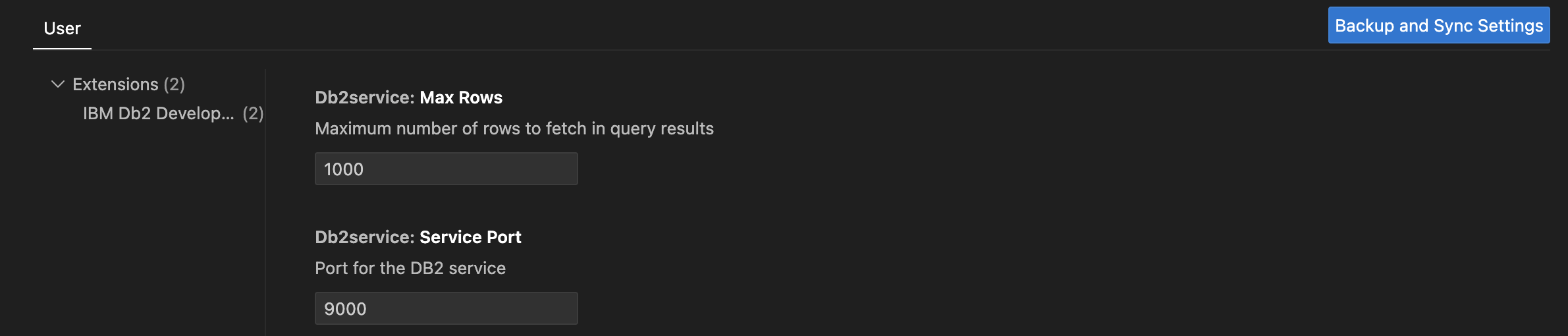
Specify the maximum number of rows to return in a result set in the Db2service: Max Rows field. The default value is 1000. To return all rows, enter -1.
-
Click Backup and sync Settings to save your setting. For example, without setting the Max Rows field, the following SELECT statement returns 50 rows at most.
SELECT NAME, CREATOR, CARDF FROM SYSIBM.SYSTABLES
WHERE CREATOR = 'SYSIBM'
FETCH FIRST 50 ROWS ONLY;

CALL SYSIBM.SQLTABLES(?, ?, ?, ?, ?);
If you set the Db2service: Max Rows field to a positive integer value, let’s say 10, running the previous SELECT statement returns only 10 rows.