Skip to content

configuration.yaml(基礎)

概要とメリット

  • ホストプラットフォームにInstana Agentがインストールされている場合、Instana Agent用の設定ファイル (configuration.yaml) を編集することで、Instana UI上の表示変更や、アプリケーションフレームワークやデータベースの詳細を可視化などといった、さまざまな設定ができます。
  • 今回は、LinuxおよびOpenShiftのホストプラットフォームを対象にして、configuration.yamlの編集し、Instana UI上で表示されるavailability-zoneを任意の文字列に設定する方法を紹介します。
ホストプラットフォーム インストール方法
Linux ワンライナー
OpenShift Operator(OperatorHub)
OpenShift Operator(Operator)
OpenShift Helm Chart

本記事では、LinuxはRhel9.4、OpenShiftはversion 4.18を使用しました

公式ドキュメントのリンク

設定例

Linux

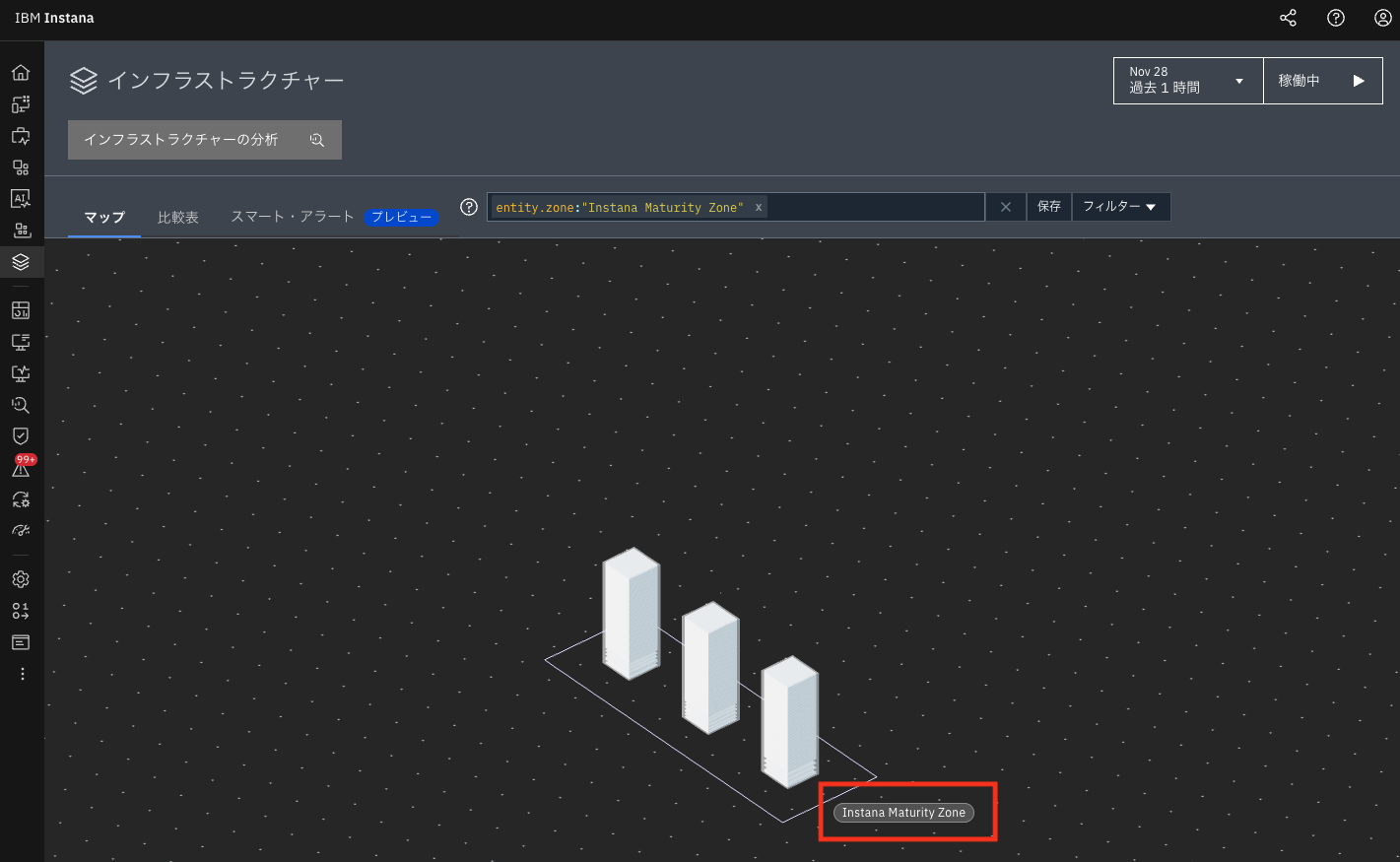
  • ワンライナーでInstana Agentをインストールした場合、configuration.yamlは、(instanaAgentDir/etc/instana/) の配下にあります。
  • configuration.yamlを編集し、availability-zoneInstana Maturity Zoneとして設定します。configuration.yamlを保存すると、設定内容は即時にInstanaのUIに反映されます。
1
2
3
4
# Hardware & Zone
com.instana.plugin.generic.hardware:
  enabled: true
  availability-zone: 'Instana Maturity Zone'

../images/1_Monitoring/configuring-host-agents/configuring-host-agents_10.png

OpenShift(Operator Hub)

すでにOperator HubによるInstana Agentのインストールが完了していること前提とします。 インストール済みのOperatorより、availability-zoneInstana Maturity Zone Operatorとして設定し、「保存」をクリックすることで設定内容が反映されます。
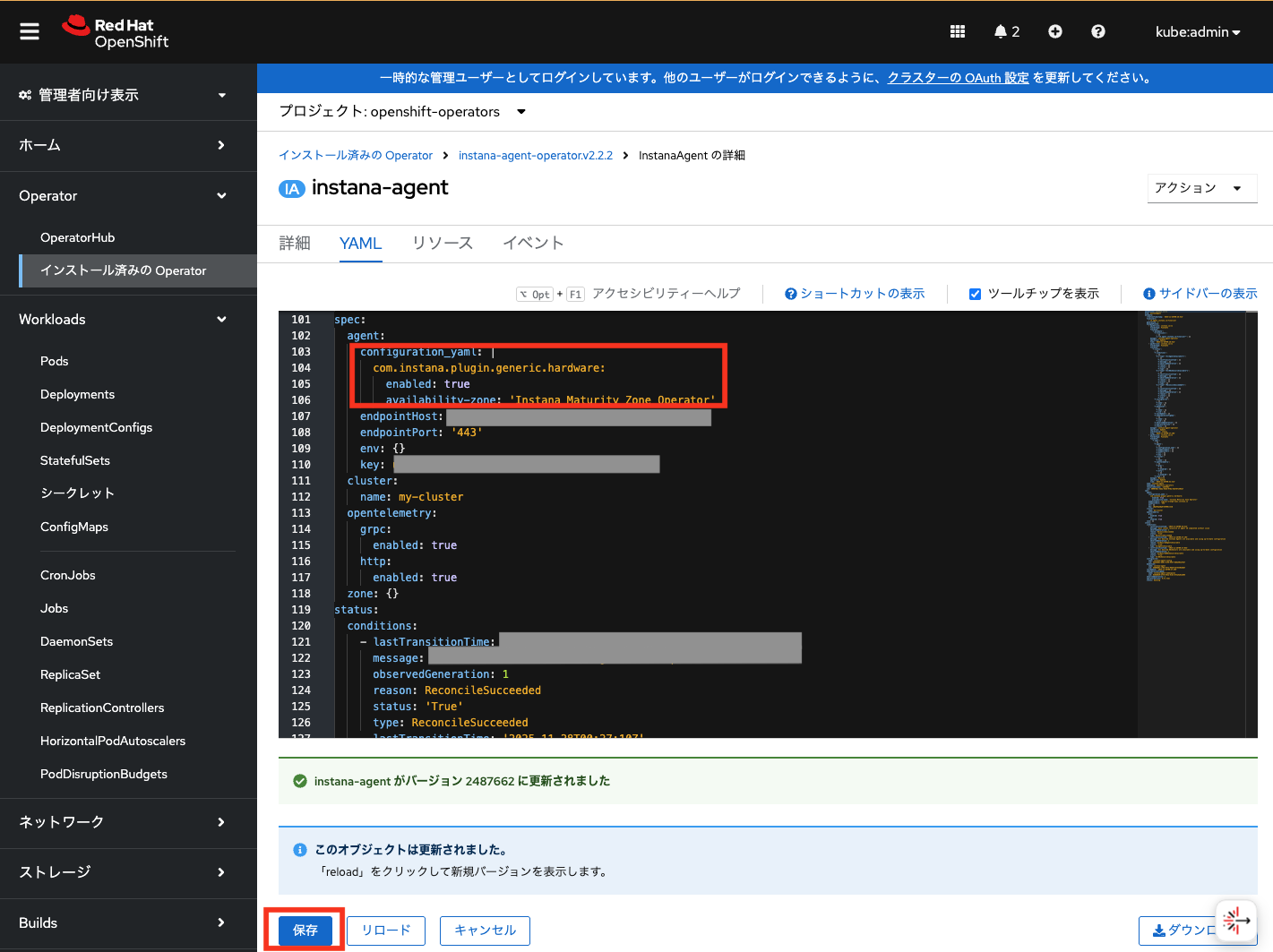
../images/1_Monitoring/configuring-host-agents/configuring-host-agents_20.png

  • Instanaのインフラストラクチャーマップで、Zone名が反映されていることを確認できます。
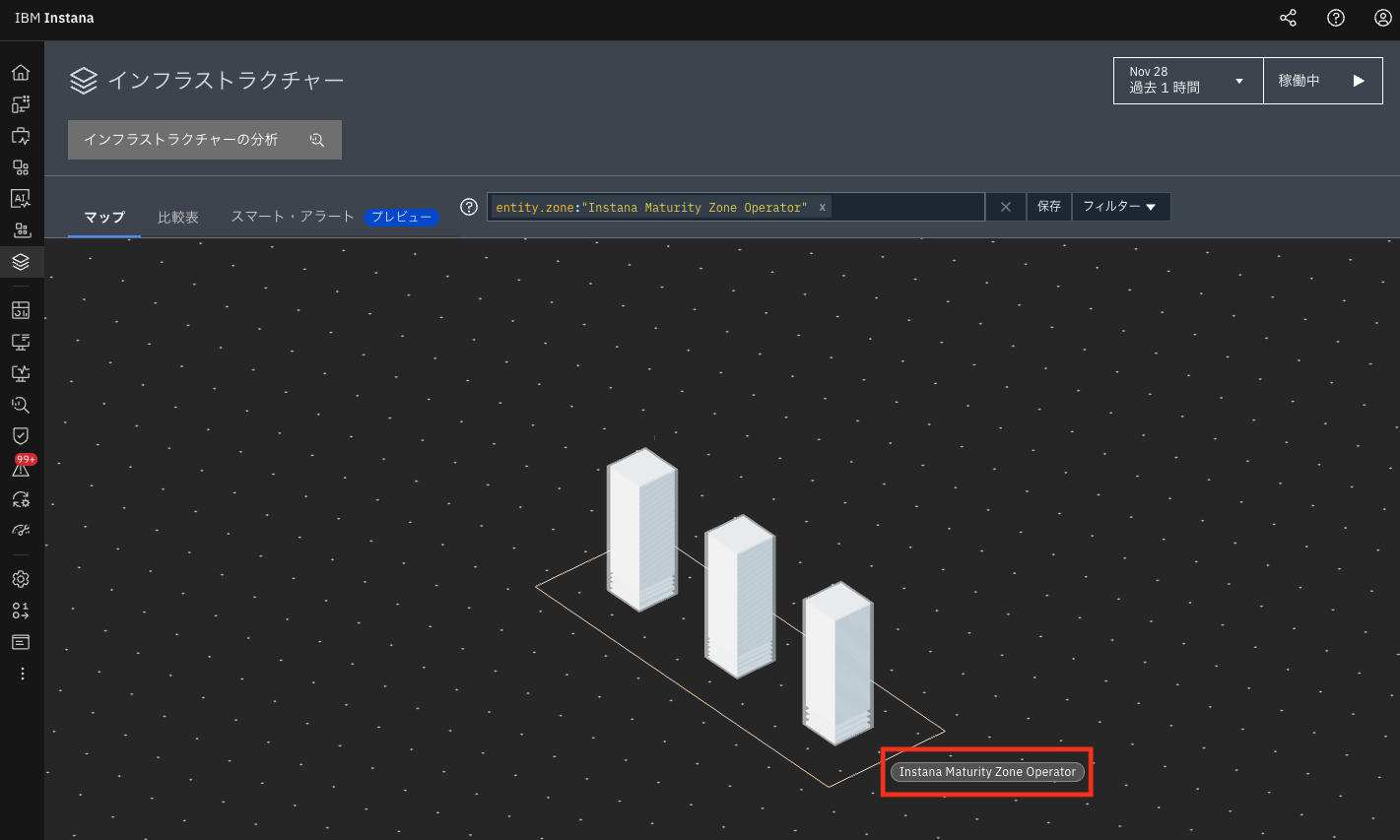
../images/1_Monitoring/configuring-host-agents/configuring-host-agents_30.png

OpenShift(Operator)

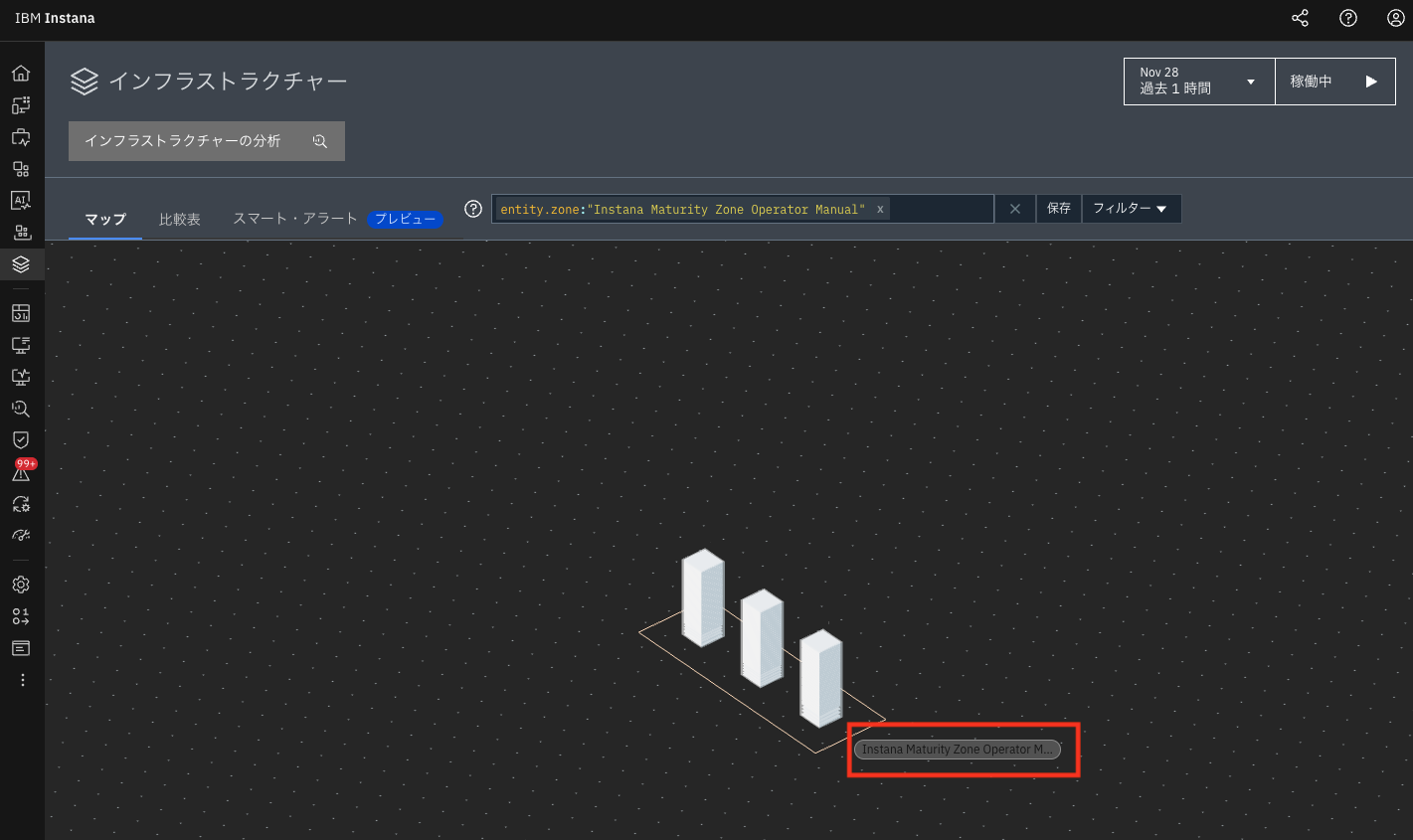
すでにOperatorによるInstana Agentのインストールが完了していること前提とします。 Instana Agentのインストール時に使用したinstana-agent.customresource.yamlを編集し、spec.agent.configuration_yamlにおけるavailability-zoneInstana Maturity Zone Operator Manualとして設定をします。

apiVersion: instana.io/v1
kind: InstanaAgent
metadata:
  name: instana-agent
  namespace: instana-agent
spec:
  zone:
    name:
  cluster:
      name: 
  agent:
    key: <key>
    downloadKey: <downloadKey>
    endpointHost: <endpointHost Name>
    endpointPort: "443"
    env: {}
    configuration_yaml: |
      com.instana.plugin.generic.hardware:
        enabled: true
        availability-zone: 'Instana Maturity Zone Operator Manual'
  • 最後にkubectl applyを実行し、カスタムリソースをデプロイすることで設定が反映されます。
kubectl apply -f instana-agent.customresource.yaml

../images/1_Monitoring/configuring-host-agents/configuring-host-agents_40.png)

OpenShift(Helm Chart)

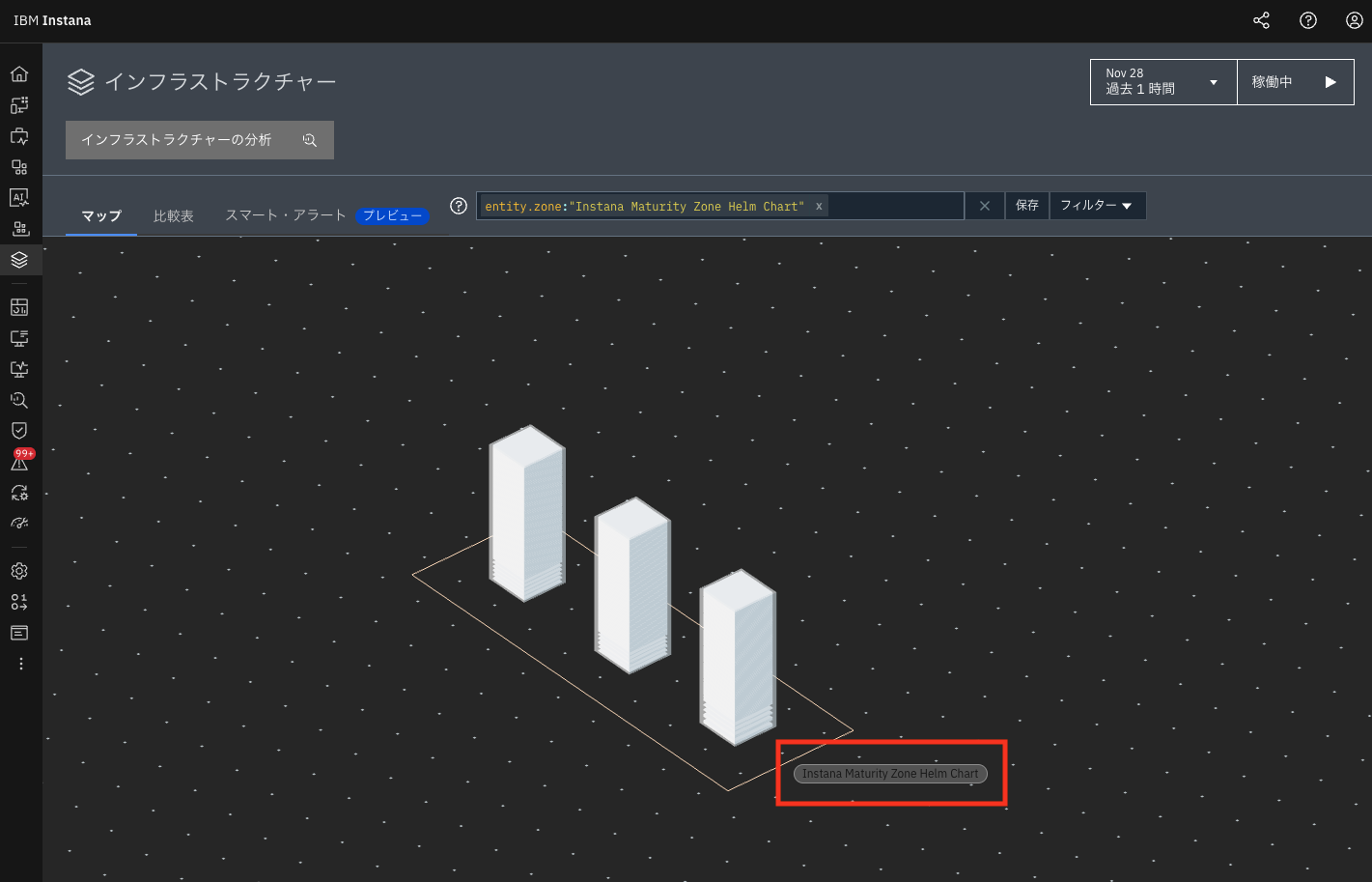
すでにHelm ChartによるInstana Agentのインストールが完了していること前提とします。 新規にvalues.yamlを作成し、agent.configuration_yamlにおけるavailability-zoneInstana Maturity Zone Helm Chartとして設定します。

1
2
3
4
5
agent:
  configuration_yaml: |
    com.instana.plugin.generic.hardware:
    enabled: true
    availability-zone: 'Instana Maturity Zone Helm Chart'
  • 最後に、helm upgrade を実行することで設定が反映されます。
helm upgrade instana-agent \
    --repo https://agents.instana.io/helm \
    --namespace instana-agent \
    --set openshift=true \
    --set agent.key=<agent key> \
    --set agent.downloadKey=<download key> \
    --set agent.endpointHost=<endpointHost Name> \
    --set agent.endpointPort=443 \
    --set cluster.name='my-cluster' \
    instana-agent -f ./values.yaml

../images/1_Monitoring/configuring-host-agents/configuring-host-agents_50.png