Exploring views
In Db2, every view is associated with a set of metadata and structural components that describe its definition, schema, and the data it returns. These components are collectively referred to as view details. They include:
- Properties
- Columns
- Data
Viewing view details
- Click the database connection and then the schema that you want.
-
Expand the Views section and click the view name. It displays the following view details:
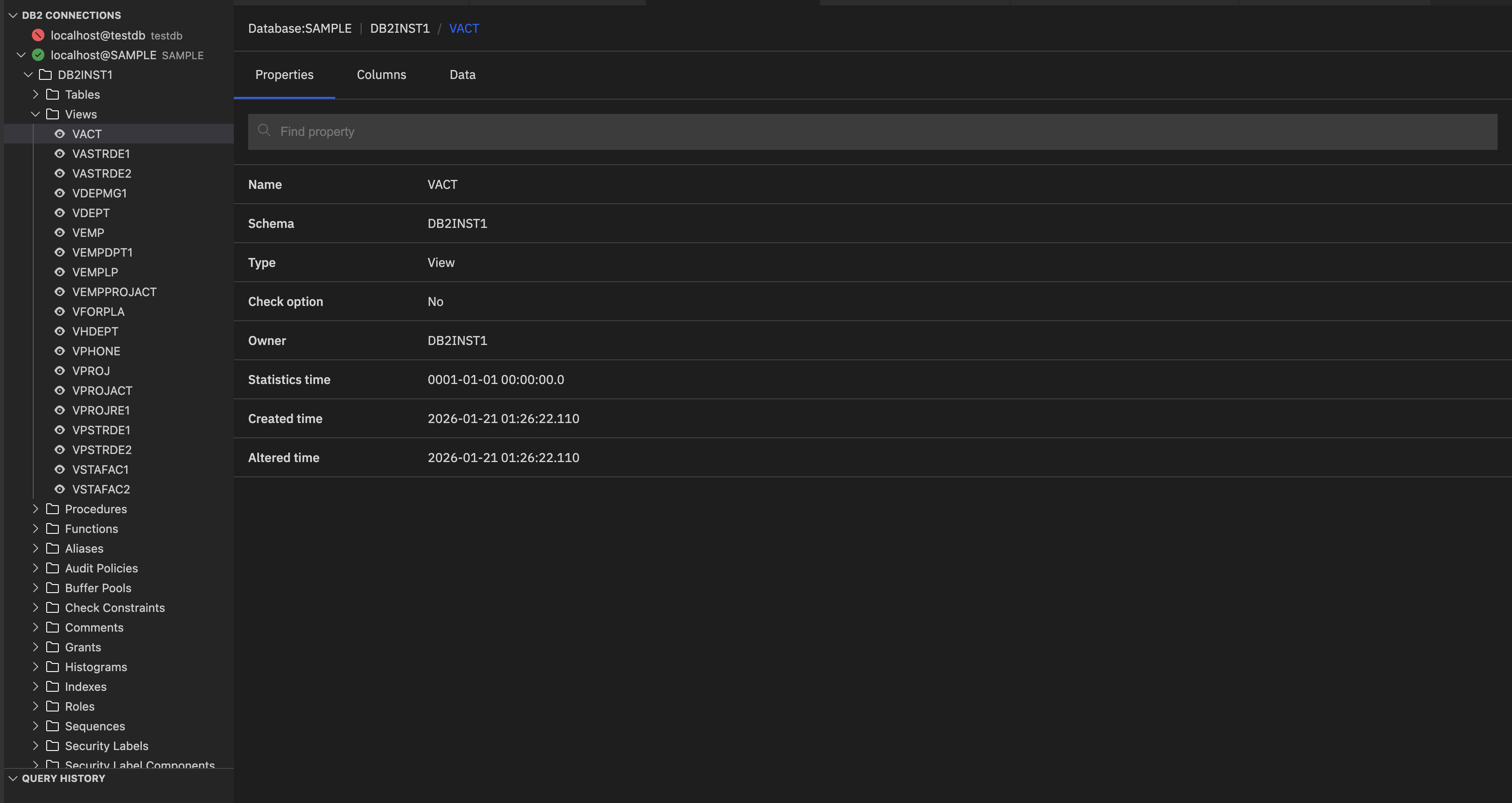
Properties: General details such as view name, schema name, type, owner, etc. The Properties tab displays the following details:
- Name: View name.
- Schema: Schema under which the view resides.
- Type: Object type (view).
- Check option: If set to Yes, any INSERT or UPDATE through the view must satisfy the view’s WHERE condition. If set to No, the view does not enforce its filter condition on INSERT or UPDATE.
- Owner: The user who owns the view.
- Statistics time: Timestamp of the last statistics update. This default value means that the statistics have not been collected yet.
- Created time: Timestamp when the view was created.
- Altered time: Timestamp when the view was last modified.
Columns: Lists all column names along with their data types and constraints.
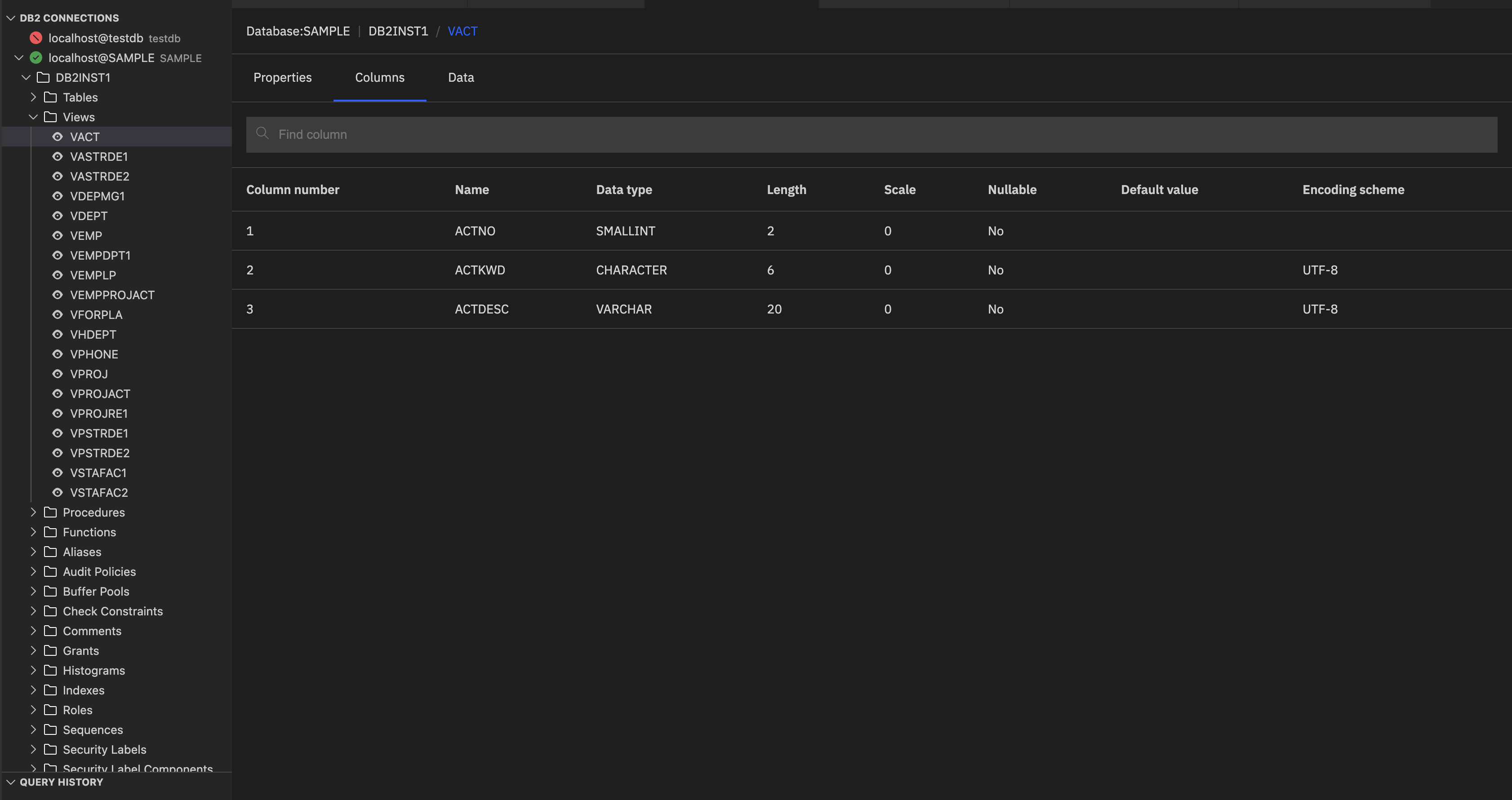
It displays the following details:
- Column number: Position of the column in the view.
- Name: The unique identifier for the column within the view.
- Data type: Specifies the type of data stored (for example, VARCHAR, DECIMAL, DATE).
- Length: Maximum size of the column data.
- Scale: Number of digits to the right of the decimal point (used for DECIMAL types).
- Nullable: Indicates whether the column can contain NULL values.
- Default value: Value automatically assigned if no value is provided during insert.
- Encoding scheme: Character encoding used for text columns (for example, UTF-8).
Data: Shows the preview of the actual data returned by the view.
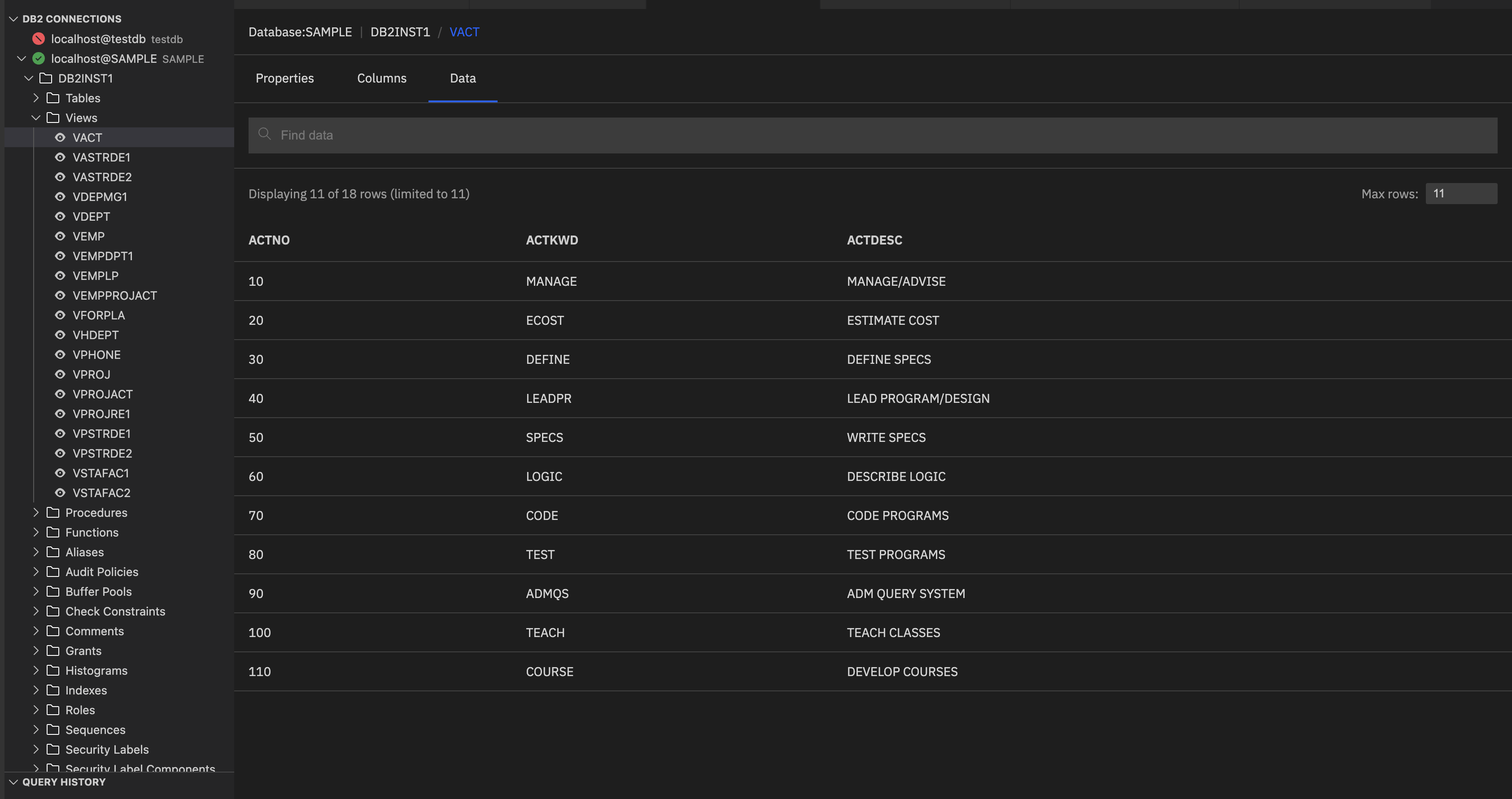
Note: The Max rows specifies the maximum number of rows to show in the data preview. Enter the required value in the Max rows and press Enter to refresh the preview. You can also set the row limit by using the Db2service: Max Rows extension setting. See Limiting the number of rows returned for more information. The Max rows field is synchronized with the Db2service: Max Rows extension setting, and changes made in either location automatically update both.