
Project Collaborators#
In the UI, you can manage access control for a project under the Manage -> Access Control tab. The SDK provides functionality for interacting with the access control API.
- This includes operations such as:
Listing project collaborators
Adding project collaborators
Updating project collaborators’ roles
Removing project collaborators
Listing Collaborators#
In the UI, you can see the list of project collaborators under the Manage -> Access Control tab.
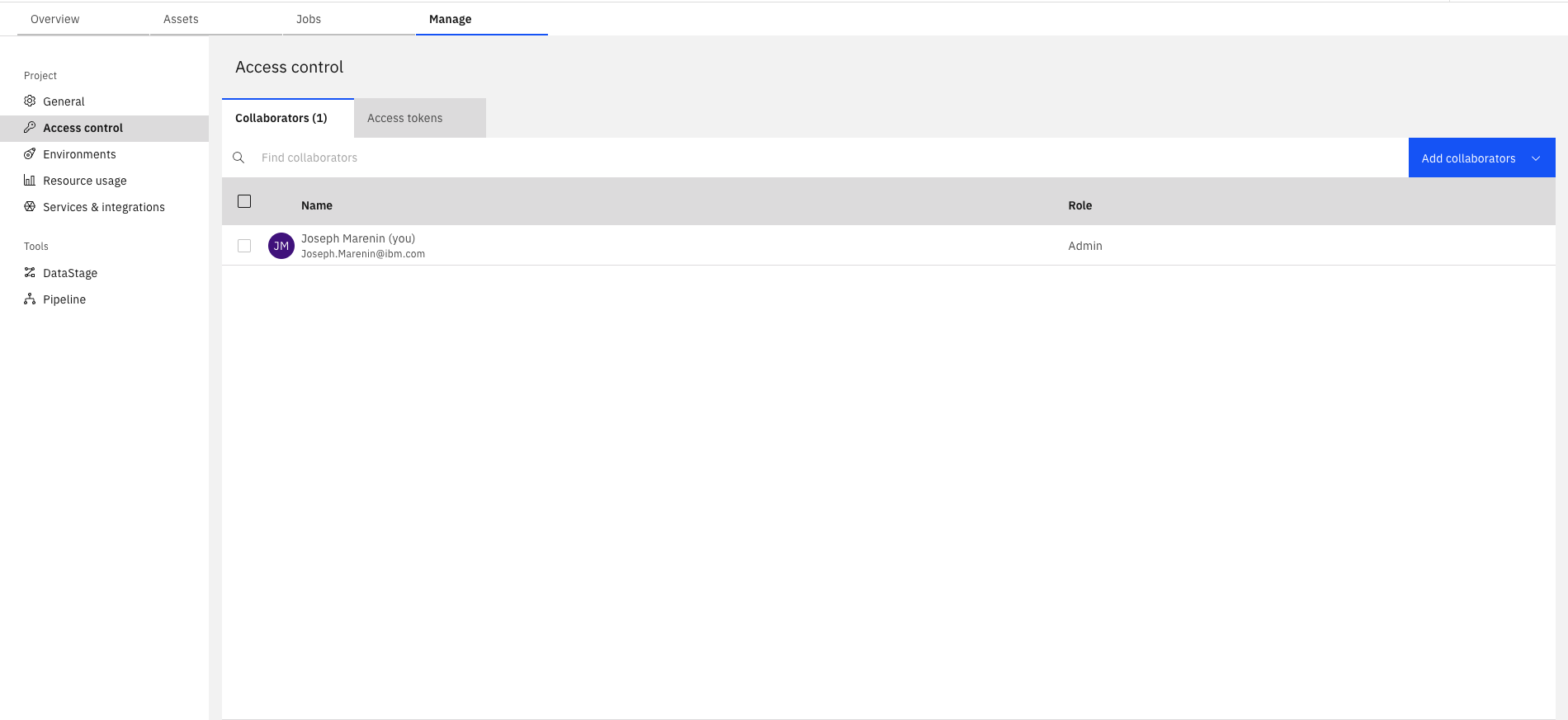
In the SDK, project collaborators can be retrieved using the Project.collaborators property.
This property returns a ProjectCollaborators object.
>>> project.collaborators
[...ProjectCollaborator(...)...]

>>> project.collaborators.get_all()
[...ProjectCollaborator(...)...]

>>> collaborator = project.collaborators[0]
>>> collaborator
ProjectCollaborator(...)
You can also retrieve a specific project collaborator by using the ProjectCollaborators.get()
method and passing a user_name.
>>> project.collaborators.get(user_name='myuser@ibm.com')
ProjectCollaborator(user_name='myuser@ibm.com', ...)
Adding Collaborators#
In the UI, to add a collaborator, click the Add collaborators button. You will then be prompted to choose which type of collaborator you would like to add.
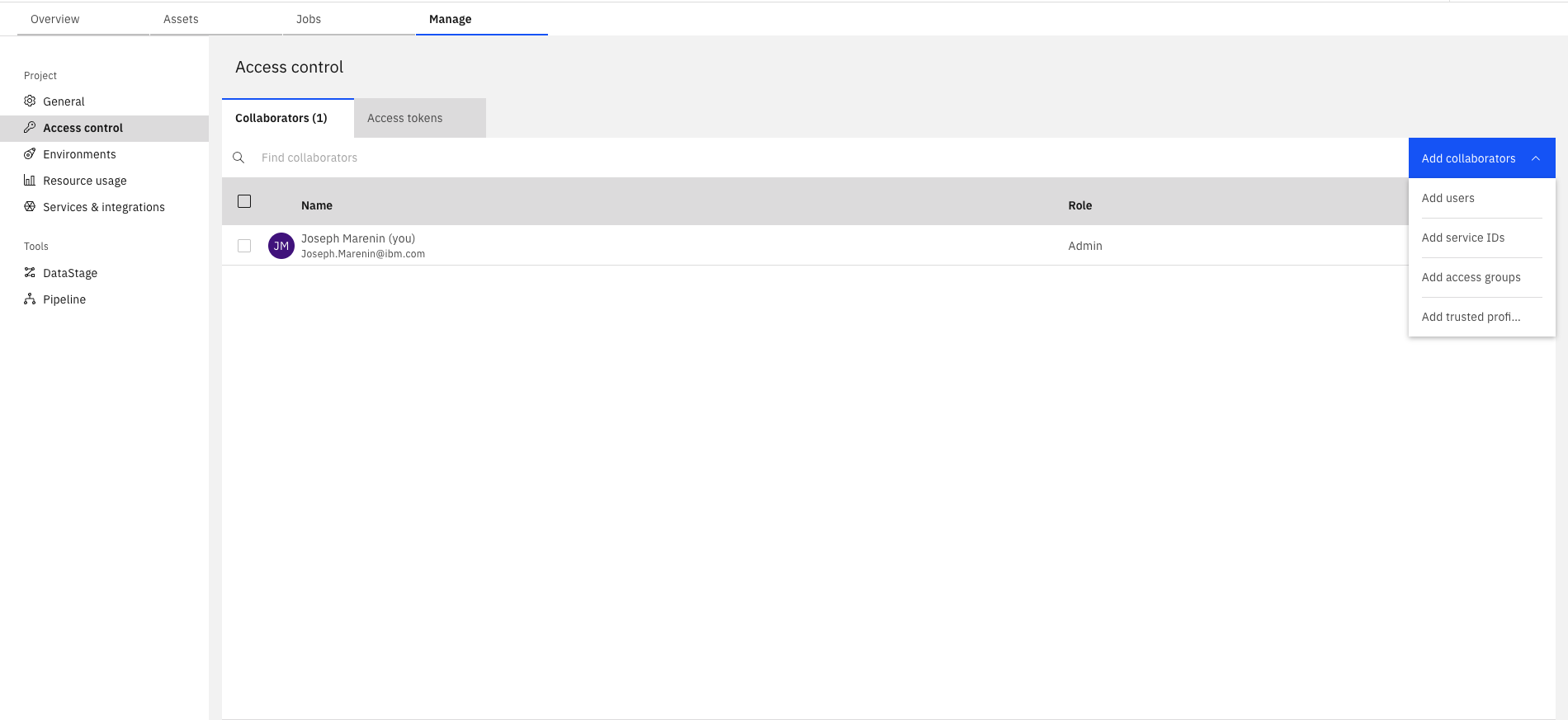
- There are four types of collaborators you can add to a project:
Service IDs (SaaS only)
Trusted Profiles (SaaS only)
After selecting the type of collaborator you want to add, you can search for the appropriate collaborators.
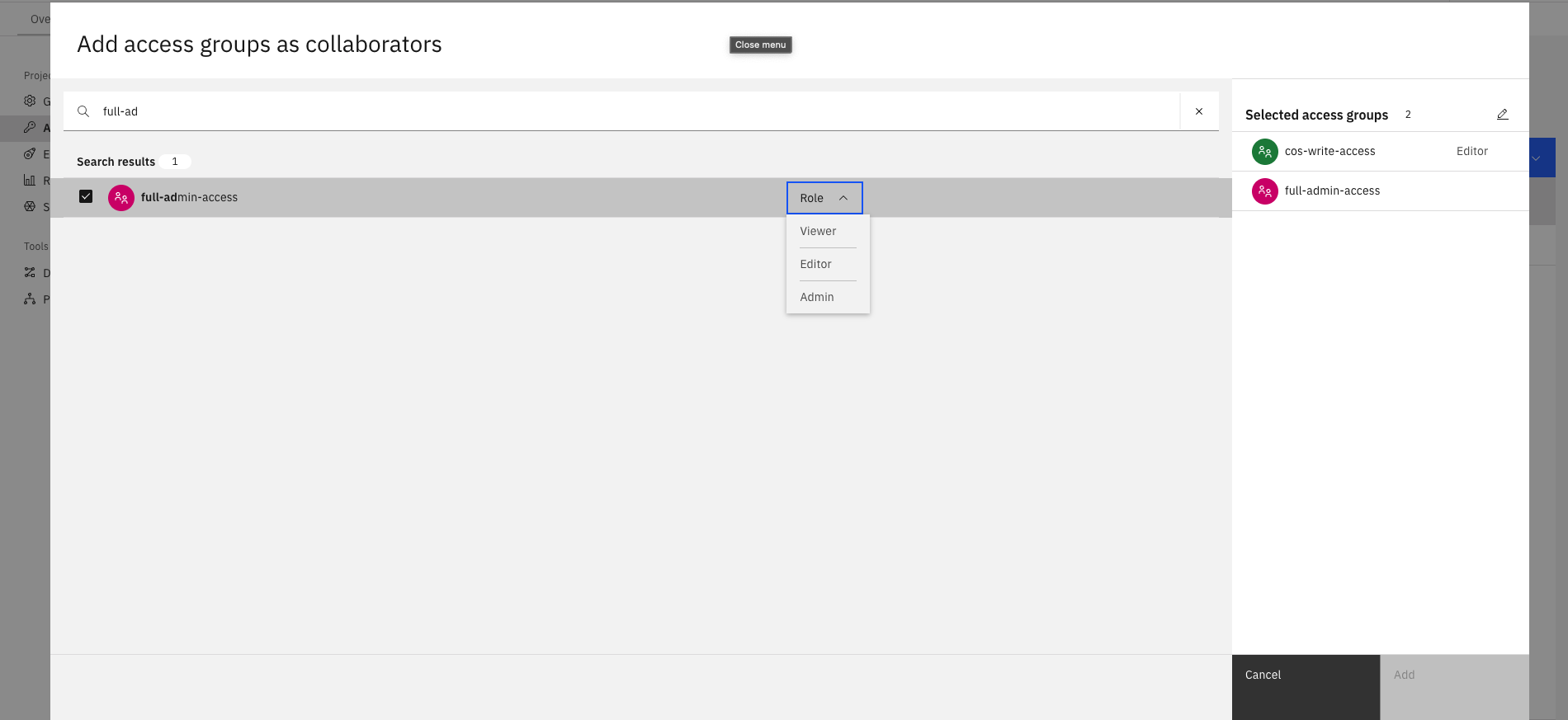
In the SDK, you can add collaborators using either Project.add_collaborator()
or Project.add_collaborators(), depending on how many collaborators you
want to add. These methods accept a variety of collaborator types, as well as the role parameter, which specifies their privileges.
- You can add the following collaborator types:
ServiceID(SaaS only)TrustedProfile(SaaS only)
>>> user
UserProfile(...)

>>> project.add_collaborator(user, role=CollaboratorRole.ADMIN)
ProjectCollaborator(user_name='myuser@ibm.com', role='admin', ...)

>>> access_group
AccessGroup(access_group_id='access_group_id', ...)

>>> service_id
ServiceID(service_id='service_id', ...)

>>> project.add_collaborators([access_group, service_id], role=CollaboratorRole.EDITOR)
[ProjectCollaborator(user_name='access_group_id', role='editor', ...), ProjectCollaborator(user_name='service_id', role='editor', ...)]
Updating Project Collaborators’ Roles#
In the UI, you can edit a collaborator’s role by clicking the edit icon next to their current role. A modal will then appear, allowing you to set the collaborator’s new role.
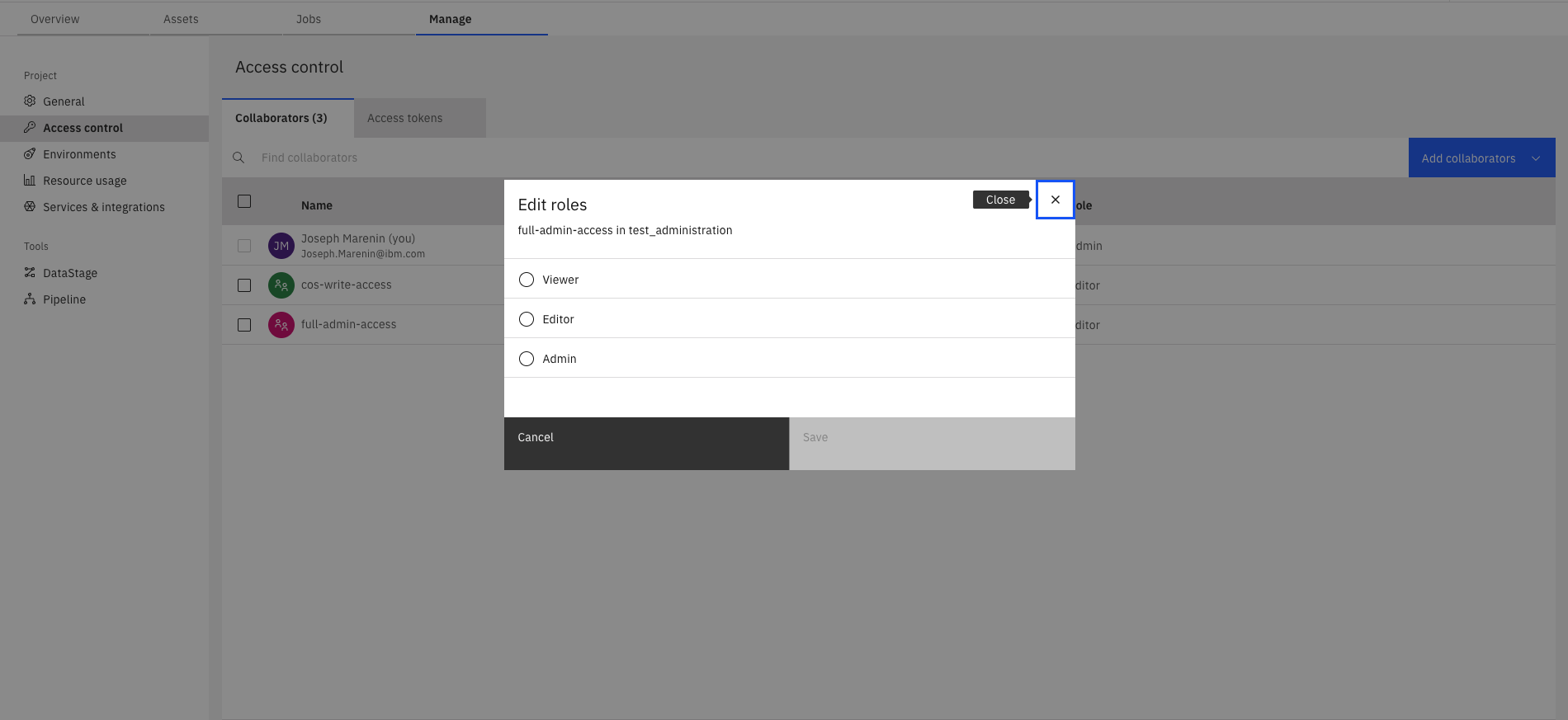
In the SDK, you can edit collaborators’ roles by updating the ProjectCollaborator.role
property and then calling either Project.update_collaborator() or
Project.update_collaborators(), depending on how many
collaborators you want to update.
>>> collaborator
ProjectCollaborator(...)

>>> collaborator.role = ProjectRole.EDITOR
>>> project.update_collaborator(collaborator)
ProjectCollaborator(user_name='myuser@ibm.com', role='editor', ...)

>>> collaborator1
ProjectCollaborator(user_name='myuser1@ibm.com', role='editor', ...)

>>> collaborator2
ProjectCollaborator(user_name='myuser2@ibm.com', role='editor', ...)

>>> collaborator1.role = ProjectRole.VIEWER
>>> collaborator2.role = ProjectRole.VIEWER
>>> project.update_collaborators([collaborator1, collaborator2])
[ProjectCollaborator(user_name='myuser1@ibm.com', role='viewer', ...), ProjectCollaborator(user_name='myuser2@ibm.com', role='viewer', ...)]
Removing Project Collaborators#
In the UI, you can remove a collaborator by clicking the remove icon to the right of their entry in the collaborator table.
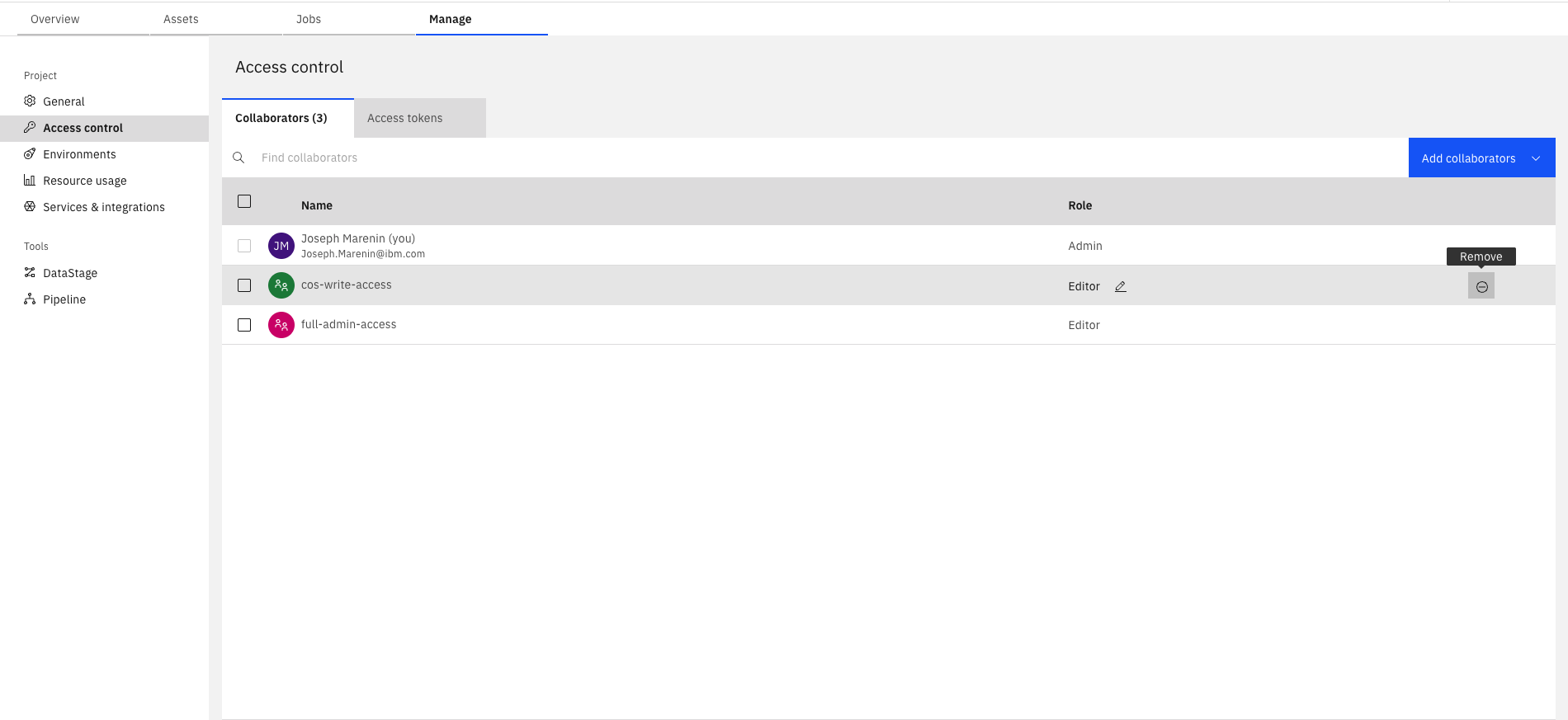
In the SDK, you can remove collaborators using either Project.remove_collaborator()
or Project.remove_collaborators(), depending on how many collaborators you
want to remove.
>>> project.remove_collaborator(collaborator)
<Response [204]>

>>> project.remove_collaborators([collaborator1, collaborator2])
<Response [204]>