
Accounts#
An account in an AWS deployment is the top-level container for resource grouping and access control. It provides the context under which all watsonx.data integration workloads—projects, jobs, flows, and connections—operate. The SDK provides functionality for interacting with accounts on the AWS watsonx.data integration platform.
- This includes operations such as:
Listing all accessible accounts
Fetching an account by ID
Getting the current account
Setting the current account
Listing all accessible accounts#
In the UI, click your account name in the top-right corner to open the account picker and view all accounts you have access to.
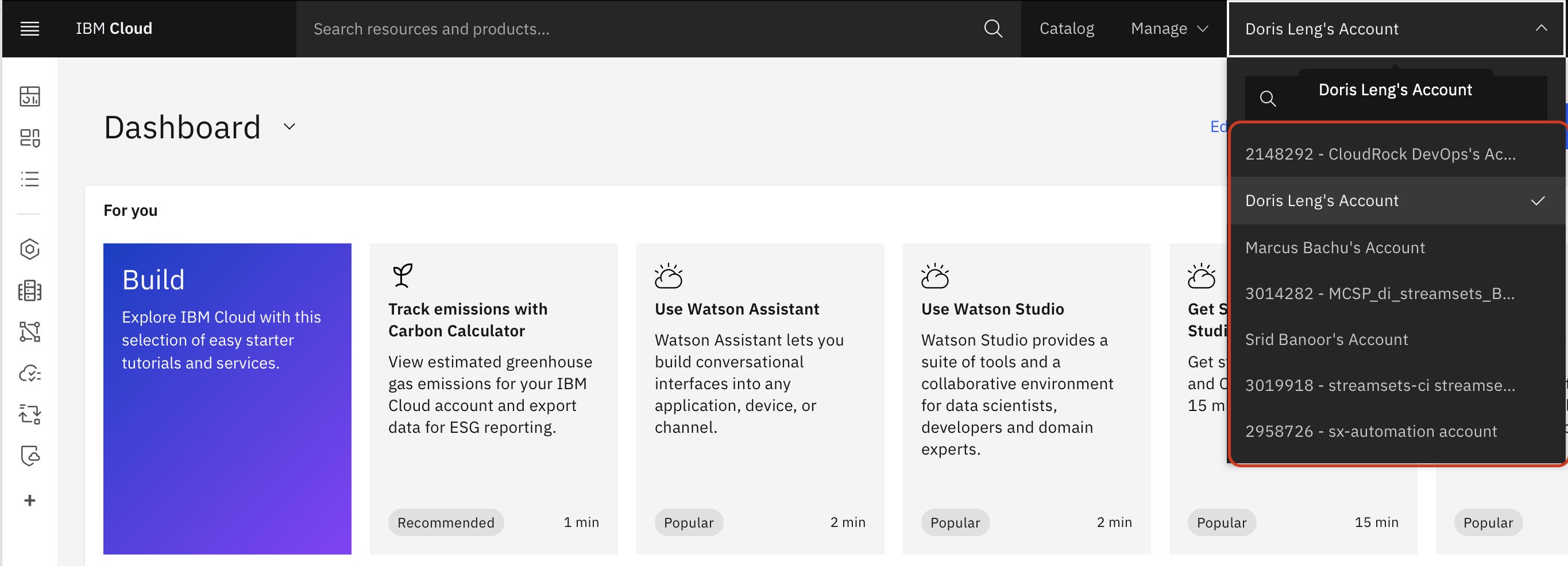
In the SDK, accounts can be retrieved using the Platform.accounts property.
This property returns an AccountsAWS object.
>>> platform.accounts
[...AccountAWS(...)...]
Getting the current account#
You can use the Platform.current_account property to retrieve the account that’s currently in scope for all SDK operations.
This property returns an AccountAWS object.
By default, it is the first account you joined or the first one listed in your account list.
>>> account = platform.current_account
>>> account
AccountAWS(...)
Fetching an account by ID#
Accounts can be retrieved using the Platform.accounts property.
You can also filter the returned account using the account_id attribute.
This property returns an AccountAWS object.
>>> platform.accounts.get(account_id=platform.current_account.account_id)
AccountAWS(...)
Setting the current account#
You can set the Platform.current_account property to a new AccountAWS object to override which account is used for all subsequent SDK operations.
>>> platform.current_account = platform.accounts.get(name='Second Account')
>>> platform.current_account
AccountAWS(name='Second Account', ...)