Connecting to a Db2 CI/CD Expert for z/OS server
With Db2 Developer Extension, you can connect to a Db2 CI/CD Expert for z/OS server. Having a connection to a Db2 CI/CD Expert server allows for automatic application discovery, site rule validation, and generating impact reports.
To connect to a Db2 CI/CD Expert server:
-
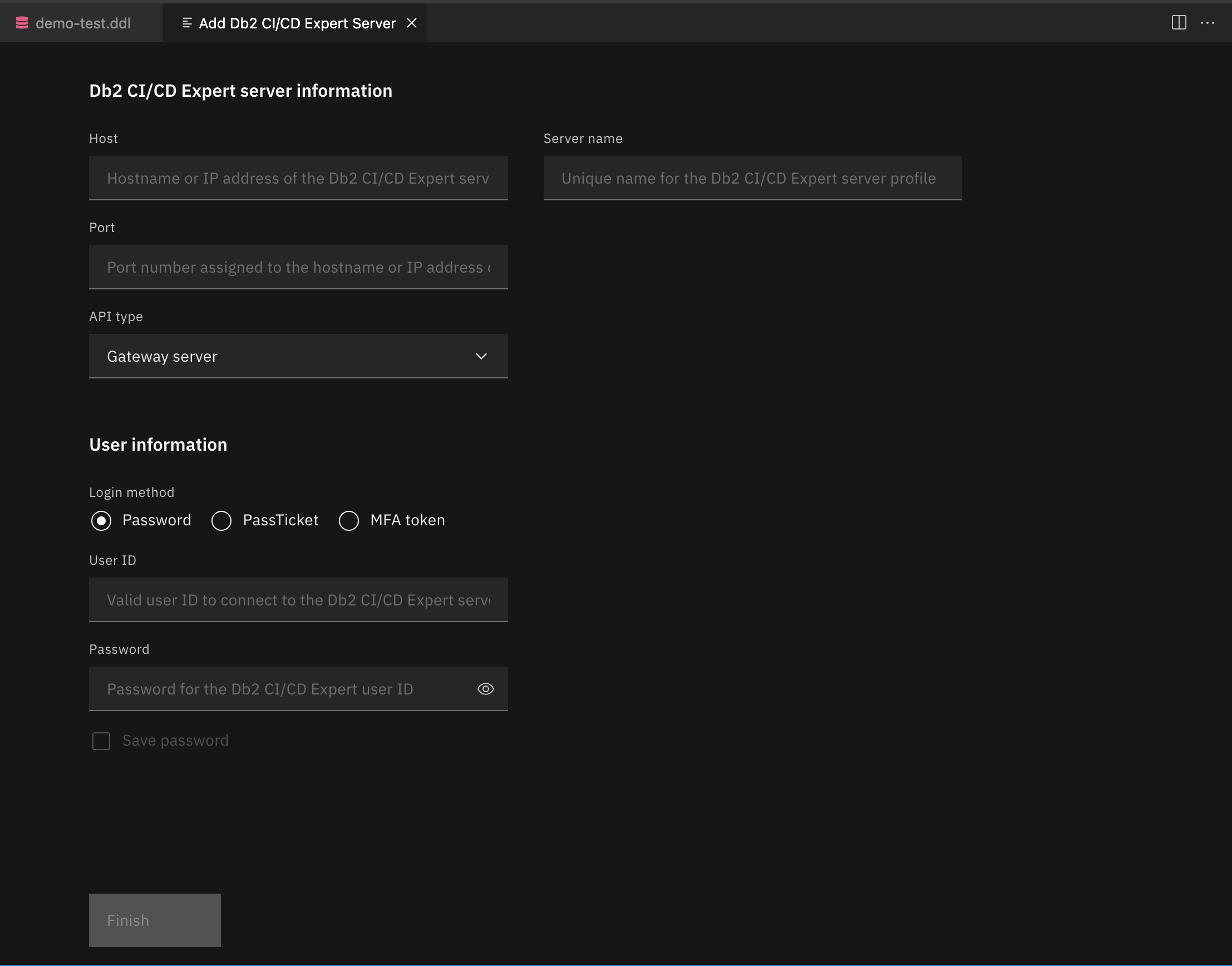
From the DB2 CI/CD EXPERT FOR Z/OS SERVERS view, click the plus sign (+) to open the Db2 CI/CD Expert server information dialog.
-
Specify the Host, Port, Server name, and API type of the Db2 CI/CD Expert server. The API type you select affects what login method you can use to connect to the Db2 CI/CD Expert server:
- For App server, you must enter a user ID and password.
- For Gateway server, you must select one of the following login methods Password, PassTicket, or MFA token.
-
Click Finish.
The connection to the server is created and added to the DB2 CI/CD EXPERT FOR Z/OS SERVERS view. At this point, Db2 Developer Extension does not connect to the Db2 CI/CD Expert server but instead connects only when a relevant operation occurs.