Editing SQL routines from catalog navigation
You can open SQL routines directly from the catalog navigation in a new window to review, edit, and deploy them without leaving Db2 Developer Extension.
Before you begin
You must be connected to a Db2 for z/OS subsystem, and the routine must be written in SQL. Routines written in Java are not supported in the editor workflow.
Procedure
-
In Db2 Developer Extension, expand the Db2 catalog.
-
Navigate to Stored procedures or User-defined functions.
-
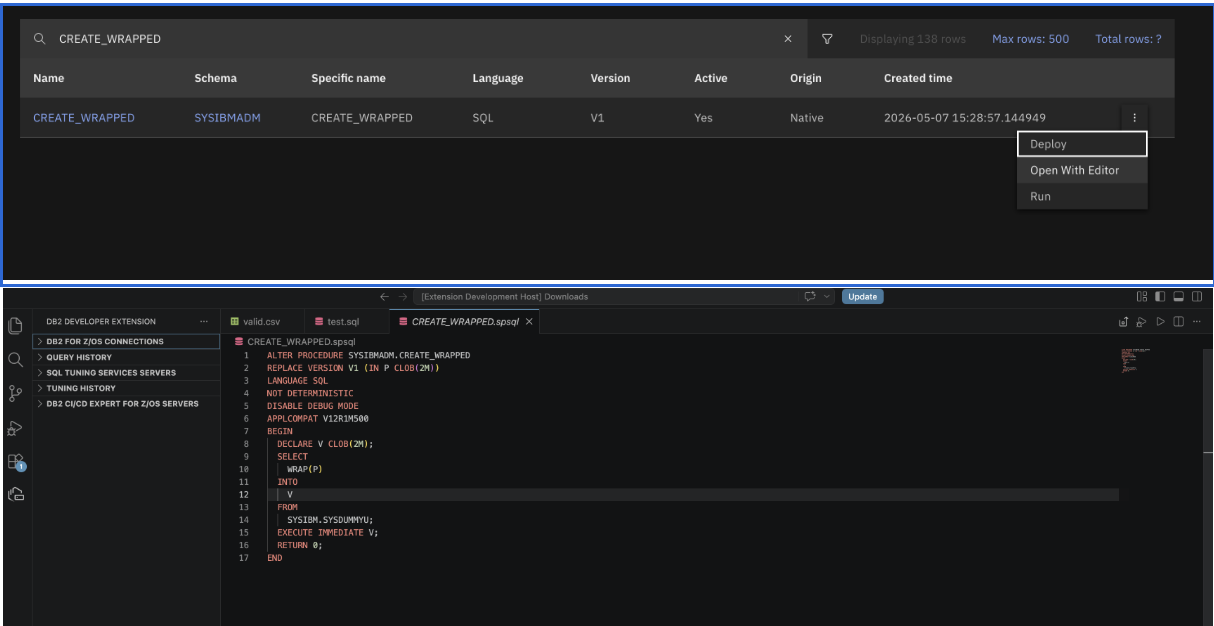
Select a routine with language SQL.
-
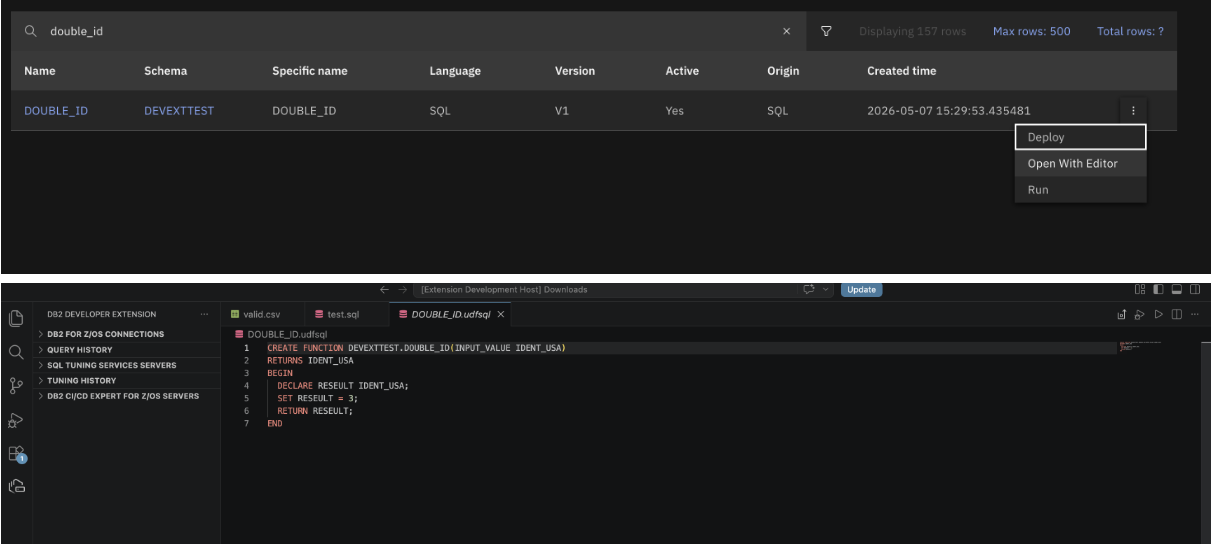
From the overflow menu, select Open with editor.
Note: The file opens in the editor and is automatically saved to your workspace. If no workspace exists, the file is saved to your desktop.
-
In the editor, modify the routine as needed.
-
Save your changes.
-
Deploy the routine to apply your changes to the database and update the catalog navigation.
Results
After you deploy the routine, the updated routine is displayed in the catalog navigation with your changes applied.
What to do next
- Test the routine to verify your changes work as expected.
- Review the deployment log for any warnings or errors.