PL/I macro preprocessor
Starting with IBM Z Open Editor 6.7.0, the PL/I language server supports the PL/I macro preprocessor. The macro preprocessor is a facility of the PL/I compiler that enables a program to embed % directives, such as %DECLARE, %IF, %DO, and macro procedures. These directives are evaluated to generate the PL/I source that is compiled. Z Open Editor recognizes and evaluates these directives natively in the language server without invoking the external PL/I compiler. As a result, users receive accurate language support when they edit programs that use macros.
As you edit a PL/I program that contains macro directives, Z Open Editor resolves macro variables, expands macro procedures, and evaluates conditional and iterative. The language server uses the resulting source to identify active sections of the program, provide hovers that display resolved values, and provide full language support, including code completion, syntax checking, and the Outline view, for the surrounding PL/I code.
This support is distinct from the Preprocessor support feature, which integrates an external, user-supplied preprocessor program, either local or remote, that transforms a program before it is parsed. The macro preprocessor support described in this topic requires no external program. The PL/I language server processes it directly.
Preprocessor directives and constructs
Z Open Editor evaluates the PL/I macro preprocessor directives, including:
%DECLARE(%DCL) and%REPLACEfor macro variables and constants, including array variables.- Macro expressions, including arithmetic and string operators such as
||and the null-directive concatenation operator%;. %IF/%ELSEand%SELECT/%WHEN/%OTHERWISEfor conditional source.%DOloops (TO/BY,WHILE,UNTIL,SKIP), and the%ITERATE,%LEAVE, and%GOTOdirectives.- Macro procedures, invoked either as a functions that return a value by using a preprocessor
RETURNstatement, or as statements that emit replacement source text through one or moreANSWERstatements. TheSTATEMENToption also allows such procedures to be invoked as statements in the source by using positional or keyword arguments terminated with a semicolon.%ACTIVATE/%DEACTIVATEcontrol whether a macro variable or procedure expands at its use sites. - Built-in functions such as
SUBSTR,LENGTH,TRANSLATE,QUOTE,COPY,COLLATE,COMMENT,COMPILEDDATE,COMPILETIME,TRIM,UPPERCASE,LOWERCASE,INDEX, andSYSPARM.
For the complete reference information for these directives and functions, see the Enterprise PL/I for z/OS documentation. The rest of this topic describes how Z Open Editor surfaces this information in the editor.
Inactive code tracking
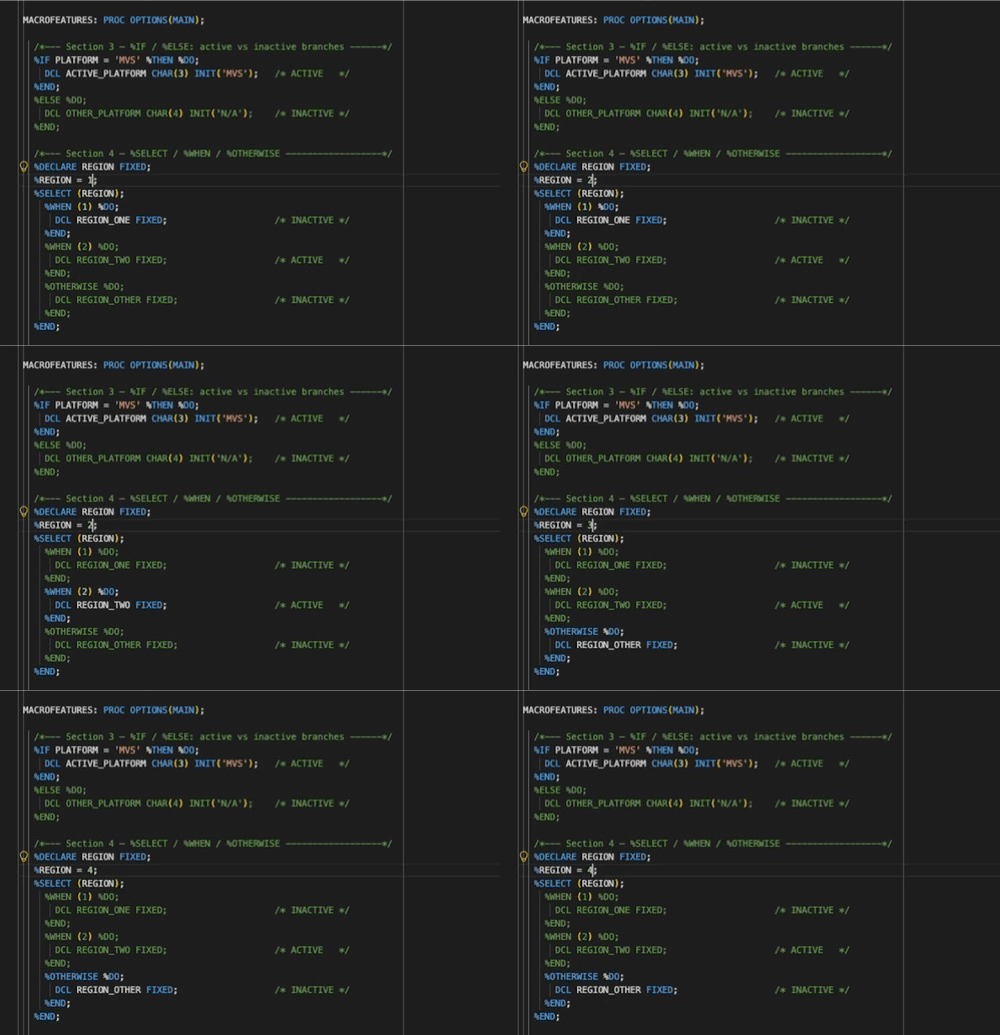
Because directives such as %IF, %SELECT, and %DO SKIP determine which source blocks are part of the compiled program, Z Open Editor identifies source regions that macro preprocessor evaluation disables and grays them out in the editor. This provides an immediate visual indication of which parts of a program take effect without the need to manually trace each directive.
Hover and editor intelligence
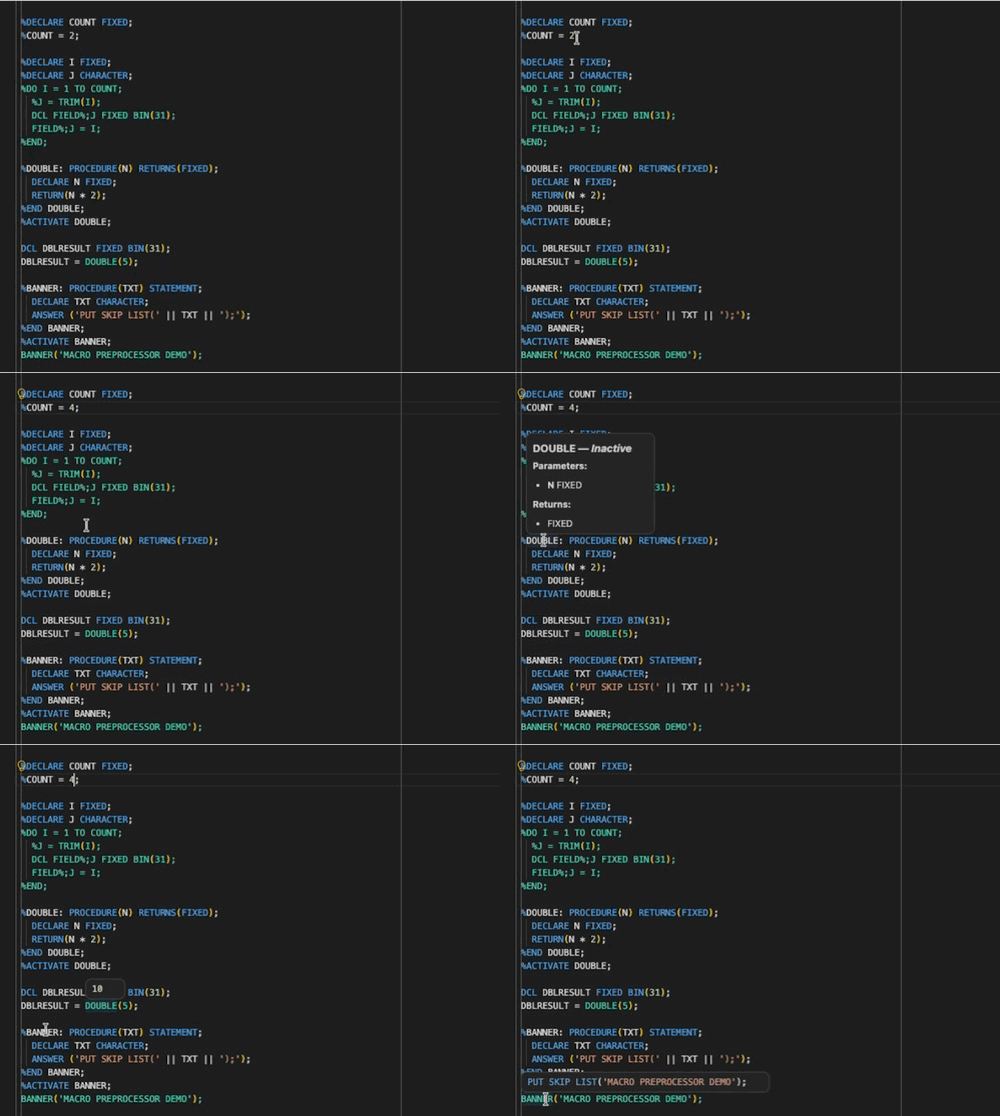
When you hover over a macro construct, Z Open Editor shows information that macro preprocessor evaluation resolves without the PL/I compiler:
Macro variables
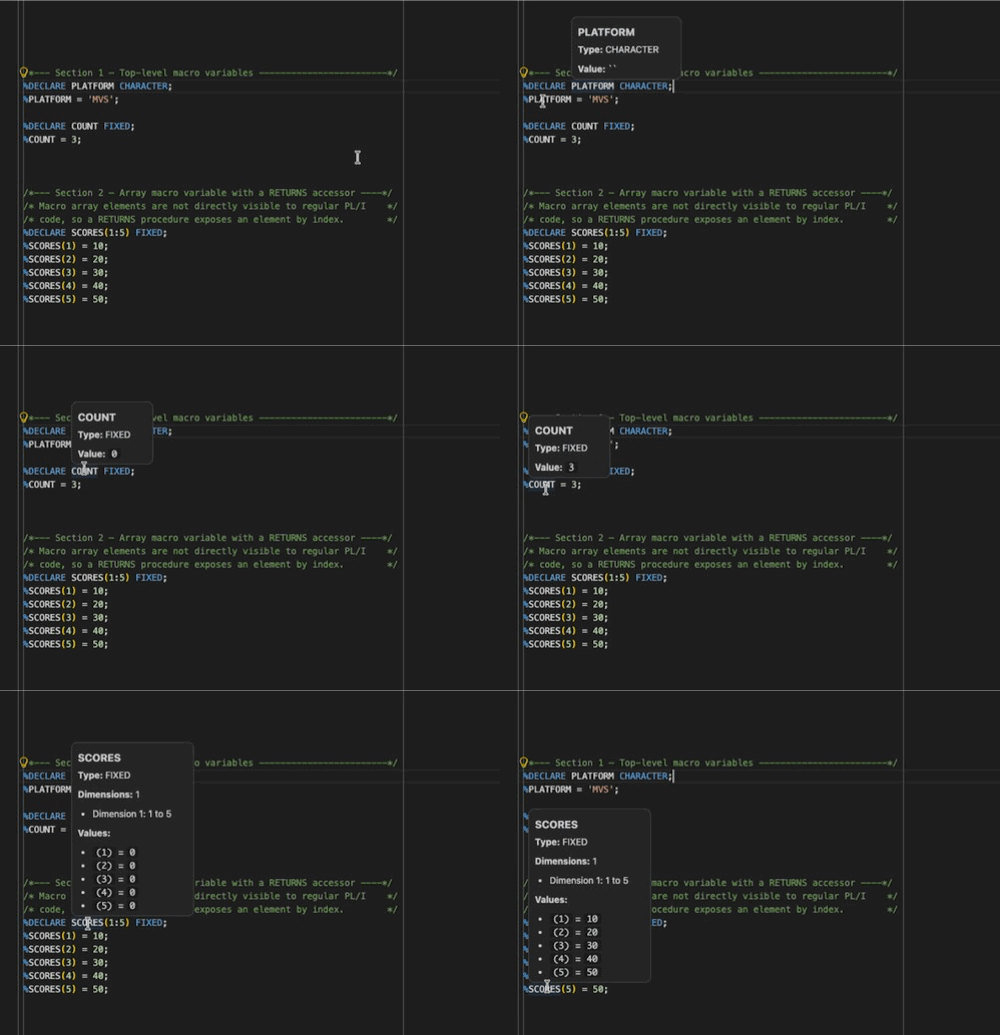
When you hover over a macro variable, Z Open Editor shows its declared type and current value. For a scalar variable, the hover shows the current assigned value. For an array variable, the hover shows the declared dimensions and the current values of its elements, up to the first 50 elements.
Macro procedures
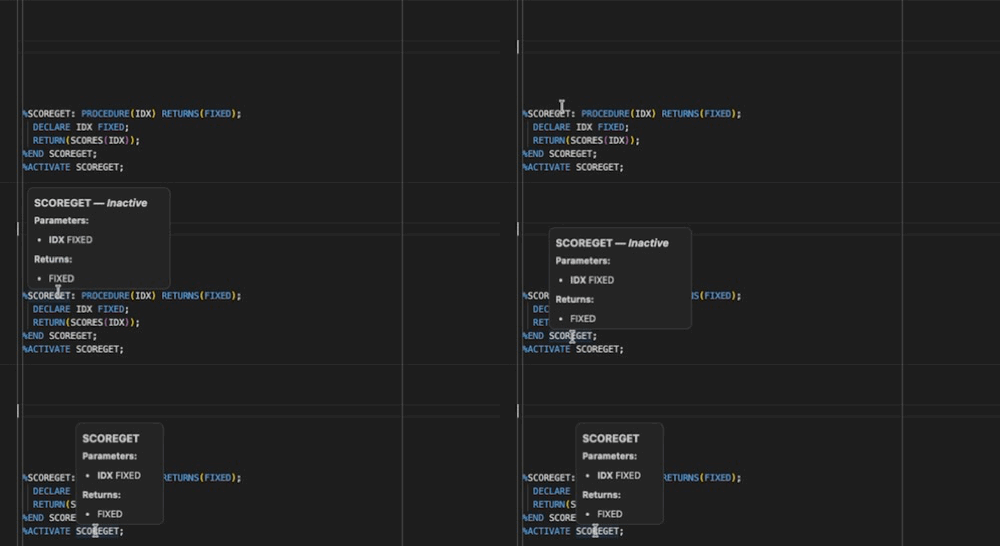
When you hover over a macro procedure definition, Z Open Editor shows its parameter types, return type, or an indication that it produces replacement statement text for a procedure without RETURNS, and whether the procedure is currently active. When you hover over a call to the procedure, Z Open Editor shows the same information for that specific invocation.
Current value tracking
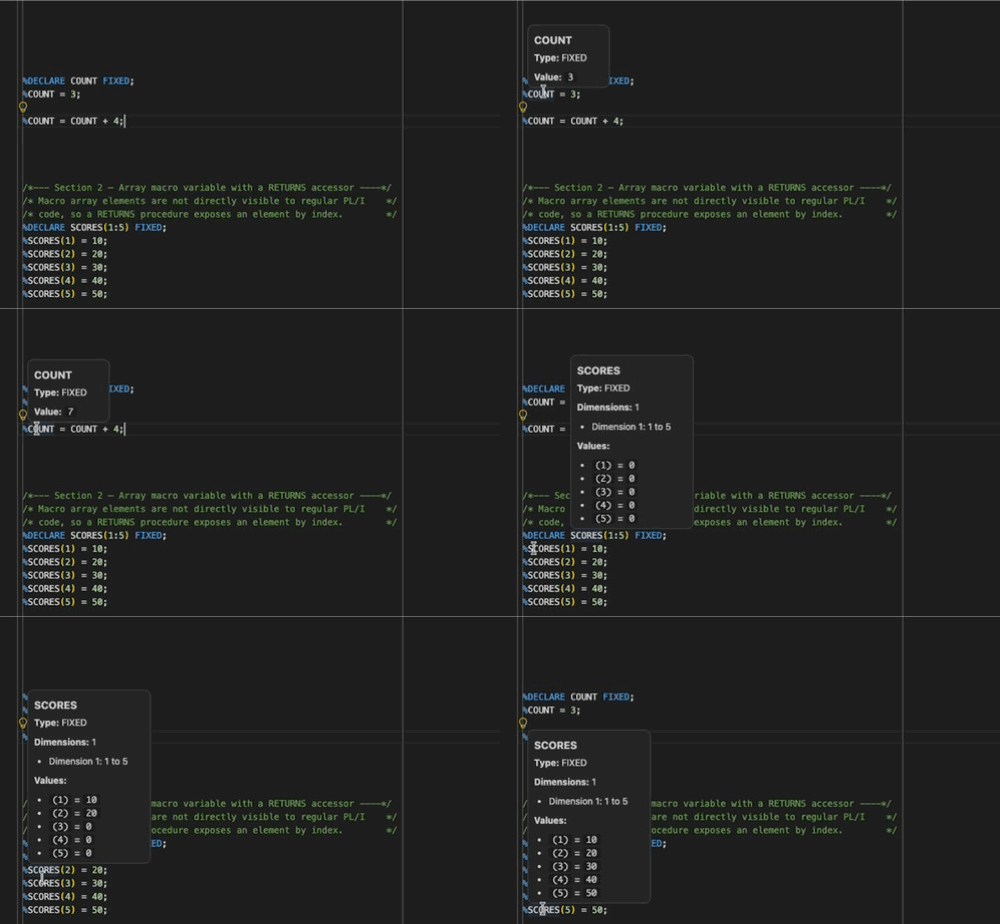
Because macro variables and expressions can change as a program executes, Z Open Editor tracks the value that a macro variable holds at each point in the source, not only its final value. When you hover over the same macro variable at different points in a program, the hover can show different values that reflect the sequence of assignments, loop iterations, and conditional branches up to that point. These values update automatically as you edit the program, so you always see the currently resolved value without the need to run the compiler.
Replacements
Constructs that generate PL/I source text show the exact replacement text that is compiled in place of the directive. When you hover over a %DO loop, the hover shows the source text that all iterations emit. When you hover over a call to a procedure invoked as a statement, the hover shows the PL/I text that its ANSWERstatements produce. When you hover over a call to a RETURNS procedure, the hover shows the resolved value substituted at that call site.
Configuring PP(MACRO) options
The PP(MACRO) compiler option and its sub-options configure specific macro preprocessor behaviors, such as CASE, RESCAN, NAMEPREFIX, and FIXED. Support for SYSPARM is also available.
As with other PL/I compiler options, you can set PP(MACRO) and its sub-options in either of the following ways:
Inline at the beginning of a program by using a
*PROCESSdirective:*PROCESS PP(MACRO('RESCAN(UPPER)')),'SYSPARM(MYPARAM)';Globally for a language scope by using the
compilerOptionsproperty in a property group in thezapp.yamlfile:propertyGroups: - name: pl1-settings language: pl1 compilerOptions: PP(MACRO('RESCAN(UPPER)')),'SYSPARM(MYPARAM)'
See Setting compiler options for more information about defining compiler options in property groups and inline in programs.
See PL/I Compiler Options Support Reference for a comprehensive list of all options and how they are used by Z Open Editor's PL/I language support.
Related information
- Preprocessor support for integration with an external preprocessor program.
- COBOL, PL/I Preprocessor tutorial for a walkthrough of the external preprocessor workflow.
- Setting property groups and Setting compiler options for information on how to configure compiler options in a ZAPP file.
- PL/I Compiler Options Support Reference.